Huawei Tablets on Noon UAE: model specifications — variant and model checks
Specifications are the backbone of any tech purchase. For Huawei tablets, focus on the chipset, RAM, and the display lineup.
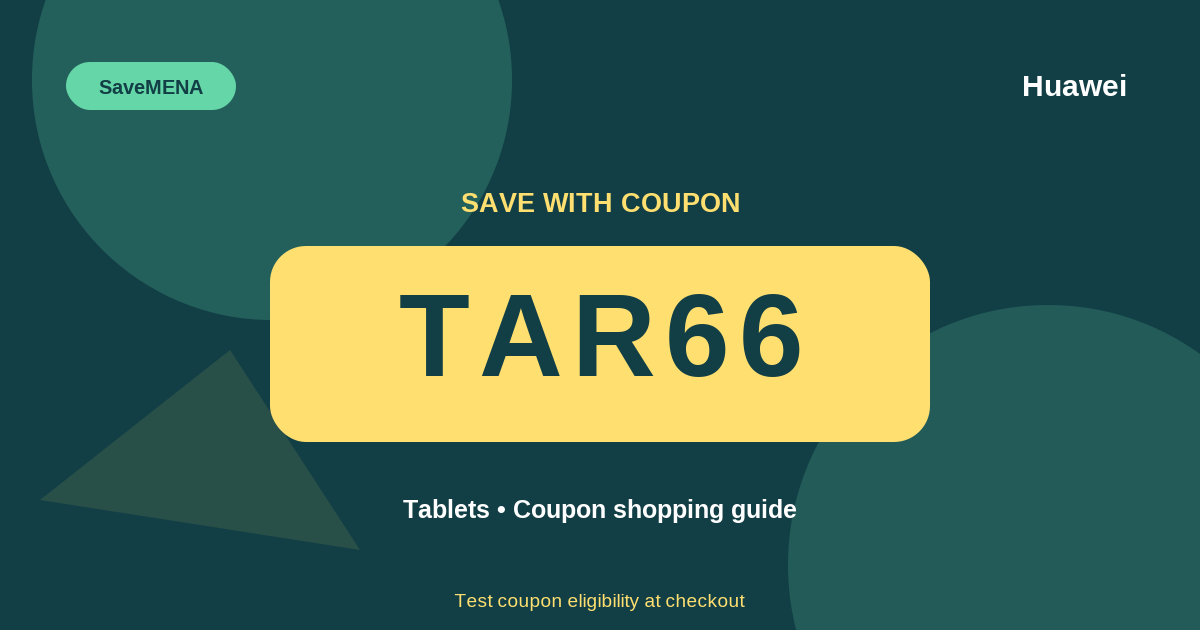
Codes available to try while comparing
These codes are not guaranteed for the article topic or listed brands; test them at checkout and use the live result.
Key Specifications to Compare for Huawei Tablets
Specifications are the backbone of any tech purchase. For Huawei tablets, focus on the chipset, RAM, and the display lineup. Use the listed specifications on Noon UAE to confirm the processor model—whether it is an Kirin or a MediaTek chip, for instance—as this influences performance and power efficiency. RAM is another critical metric: tablets commonly come in 4 GB, 6 GB, or higher; the higher the RAM, the smoother multitasking you can expect. Inspect the details claiming “Quad‑Core 2 GHz” or “Octa‑Core 1.8 GHz” to gauge real‑world speed.
Screen technology also defines user experience. Check whether the tablet uses LCD, OLED, or a hybrid panel, and note the resolution, pixel density, and refresh rate. A resolution of 1920 × 1200 on a 10‑inch panel offers a comfortable pixel density for reading and web browsing, whereas a 2560 × 1600 resolution will provide sharper detail for media. Huawei usually lists “FHD” or “WQXGA” to designate these display types. These three pillars—processor, RAM, and screen—should form the main axis of comparison for any model you consider.
Screen Size, Resolution, and Display Tech Choices
Many consumers choose a tablet based on how large and clear its screen appears. Huawei tablets commonly range from 7‑inch tablets for casual reading to 12‑inch models for productivity suites. Verify the screen size in inches; the metric is usually listed right after the model name. A 10.1‑inch tablet offers a middle ground between portability and workspace. When the screen size is confirmed, the next step is to check the resolution description—WUXGA, WQXGA, or FHD—because this determines pixel density, directly affecting visual clarity.
Display technology, such as LCD or OLED, impacts color accuracy and power consumption. OTA design is more common in higher‑tier Huawei tablets, while midrange models may use IPS panels. Look for details like “60 Hz refresh rate” which tells you how smooth animations and scrolling will be. A higher refresh rate is preferable for gaming or streaming, and often appears within the specification table. Always cross‑reference these points with the description to avoid selecting a variant that falls short on screen quality.
Processor, RAM, and Performance Benchmarks
Huawei’s tablets typically feature either their own Kirin processors or MediaTek M-series chips. While the exact performance rating can be subjective, look for details such as “Octa‑Core 2.2 GHz” to gauge overall speed. A newer “Kirin 810” will generally outperform an older “Kirin 710” in multi‑threaded tasks. If your activity revolves around video editing or light gaming, a higher clock speed and a larger L3 cache can make a tangible difference, as noted in the technical sheet’s performance section.
RAM levels are central to multitasking capability. A 4 GB model will handle casual apps smoothly, but becomes bottlenecked when running several heavy applications. For professional use or future‑proofing, reaching 6 GB or 8 GB is recommended. Check the memory type (LPDDR4X, DDR4, etc.) listed on the page; the newer the type, the more efficient the memory usage. Ensure you verify these details because a mismatch between advertised and actual specifications can alter your day‑to‑day experience.
Battery Life, Connectivity, and Design Features
Battery capacity, measured in milliampere‑hours (mAh), is often listed as a numeric value. A 6,000 mAh battery on a 10‑inch tablet offers roughly 8–10 hours of mixed usage, whereas a 7,000 mAh setup can lean toward 10–12 hours. Some Huawei tablets feature fast‑charging technology such as “QuickCharge 3.0”; check whether the specification table details the wattage output, as this affects how fast the battery will replenish.
Connectivity options include Wi‑Fi 802.11ac or 802.11ax standards, optional LTE/5G bands, and Bluetooth 5.0. A model that includes 5G will provide faster mobile data speeds, especially useful for stream‑heavy tasks. Carrier calling support is a niche feature on some tablets, so look for that address in the specs if you need it. Design-wise, the number of USB ports, the presence of a USB‑C or micro‑USB, and whether the device supports optional keyboard accessories should be checked against your requirements. These points ensure that the tablet not only performs but also integrates seamlessly into your workflow.
Storage Options, Expansion, and Operating System Details
Huawei tablets typically offer internal storage ranging from 32 GB to 256 GB, often expandable via micro‑SD cards. Verify the maximum supported SD size—many high‑end models support up to 2 TB—within the specifications page. If your use case includes large media files or offline gaming, capacity becomes a deal‑breaker. Additionally, check whether the tablet comes with a storage upgrade from a lower base variant; sometimes Noon UAE offers variant bundles that increase internal memory.
The operating system is another core factor. Huawei’s recent tablets run on EMUI for Android, typically on a mid‑generation Android version. Look for “Android 11” or “Android 12” in the specifications; this influences app compatibility and security updates. The device’s firmware may also include Huawei’s proprietary software features like M‑Drive or the AppGallery. Confirm that your chosen variant lists the OS and that it aligns with your operating system preference.
Pricing Strategy and Where to Apply the TAR66 Coupon
Although exact price figures are not disclosed here, Noon UAE presents a clear list of the retail cost for each variant. To keep the price competitive, compare the same specifications across different variants—make sure to match the exact model number before comparing price because other packages may have different storage or connectivity levels. When you add the chosen tablet to your cart, the checkout page will propose all active coupons.
At that point, you will be able to input the coupon code TAR66. This code is provided to the shopper and is not guaranteed to be accepted; the only confirmation of the discount, if any, will be shown during checkout. Make sure to note any conditions that the checkout may present, and verify returned savings before confirming payment. The coupon value will be visible after final confirmation.
Final Checklist Before Checkout: Verifying Variant, Specs, and Coupon Eligibility
Before proceeding to payment, re‑check the product detail page for any accidental changes in the variant selection. Ensure that the model number, display size, processor, RAM size, battery capacity, and storage match the item in your cart. Look out for subtle differences like “5G” or “Wi‑Fi only” that may have been swapped during cart addition. Missteps here can alter the performance you expect after purchase.
Once the details are confirmed, go to the checkout section and enter the code TAR66 in the coupon field. The page will either apply a discount or decline it; in the latter case, you will still retain the original price. If the coupon is accepted, the calculated savings will appear. Take a final glance at the delivery options, any applicable fees, and verify your payment method before placing the order. This last round of checks protects you from unexpected changes.
Related SaveMENA pages
Related articles
Official sources to check
Frequently asked questions
A coupon is not guaranteed; verify its result at the retailer checkout.
No. The code is only available to try. Eligibility can vary with the live account, basket, item, seller and campaign context, so checkout is the final reference.
Where should I confirm the coupon result?
Apply the code in the Noon basket and review the live message and final payable total before payment. Do not rely on an undocumented percentage or condition.
Can the result vary by product or seller?
Yes. Eligibility and offer context can vary with the current basket details, so compare the exact item, seller, variant and final total before purchasing.
What should I do if the code does not work?
Check the market, account, item, seller, basket and payment context, then try another code available to try without guessing an unsupported reason.