Dell Computer Accessories on Noon UAE: payment method — variant and model checks · TAR71
Once you have the exact variant, pause to examine all the prices available from different sellers on Noon.
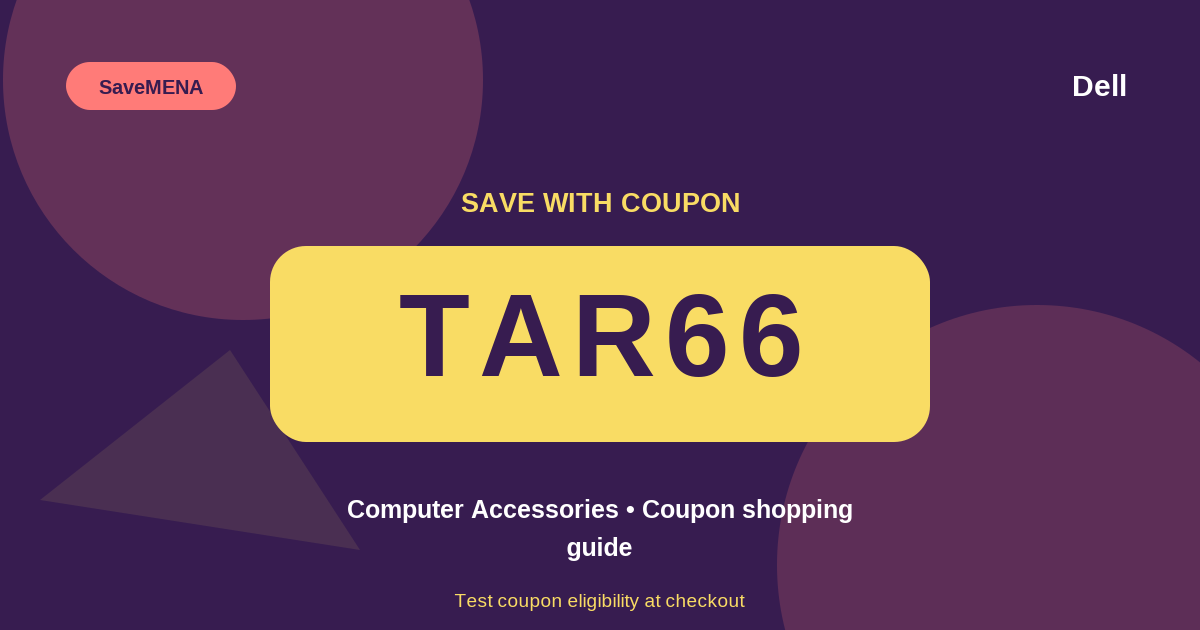
Codes available to try while comparing
These codes are not guaranteed for the article topic or listed brands; test them at checkout and use the live result.
2. Compare Prices Across Sellers before Checkout
Once you have the exact variant, pause to examine all the prices available from different sellers on Noon. Duties, promotions, and shipping fees can fluctuate significantly between suppliers, so glance at each listing’s subtotal to capture a realistic picture of the cost. This step ensures you are comparing like‑for‑like items rather than interpreting higher or lower figures that may not reflect the full purchase cost.
To aid the comparison, use Noon’s sort function if available, or manually toggle each seller to review their descriptions. Pay close attention to any seller‑specific notes about returns or warranty extensions, as these can influence the overall value. The goal is to surface the best price that still offers the Dell variant you have identified, taking into account shipping times and seller ratings where possible.
3. Unpack Payment Methods on Noon UAE
With the chosen Dell accessory and seller identified, focus next on Noon’s payment method options. Familiarize yourself with the list of accepted cards, digital wallets, and installment programs offered by Noon in the UAE. For instance, some sellers may accept Visa, MasterCard, and local e‑wallets while others might limit payment to a particular method. Knowing these options early helps in planning how to apply the TAR71 coupon and whether it will be accepted with your selected payment method.
It is also advisable to verify any potential fees or processing charges that might be applied when using specific payment methods. For example, some cards may incur a small discount fee or a service charge that could alter the effective price you pay. Checking these details before final confirmation helps you choose the payment method that aligns best with your financial preferences and the coupon’s applicability.
4. How to Use Coupon TAR71 for Dell Accessories
Next, determine if the TAR71 coupon is valid for the Dell accessory you have singled out. Coupons on Noon can be specific to sellers or product categories, so the best practice is to add the item to the basket first, then navigate to the “Enter coupon code” area before submitting payment. Enter TAR71 exactly as shown, taking note that coupon codes are case‑sensitive on some platforms.
Once accepted, the coupon’s effect appears on the checkout page alongside any seller or channel‑specific discount details. Because the coupon is only available to try, there may be a chance it will not apply if the item isn’t covered; however, Noon’s system typically indicates coupon eligibility immediately. Continue to the payment step only after confirming the final figures reflect the discount, if any.
5. Verify Final Cost with Payment Method Options
At the checkout stage, review the full breakdown of the purchase cost. This includes the product price, shipping fee, applicable coupon discount, and any taxes or service charges. It’s essential to cross‑check if the selected payment method is still accepted after the coupon has been applied, particularly if the sale of a Dell accessory entails a higher transaction value.
If you notice discrepancies or a sudden change in the payable amount—perhaps due to your payment method being limited or altered by Noon’s system—contact Noon’s customer support or revisit the payment options. The most reliable approach is to pair the best‑identified price with the lowest‑fee payment method to standardize the final check‑out total accurately.
6. Understand the Pros and Cons of Noon Payment Settings
Noon offers a range of payment methods that can simplify the purchasing experience for UAE shoppers. Using a prepaid or post‑paid card can provide immediate payment confirmation, while e‑wallets may speed up checkout by eliminating the need to enter card details repeatedly. However, certain cards might not support the TAR71 coupon, or the chosen payment method could trigger a processing fee that offsets any coupon savings.
Additionally, Noon’s installment options can spread the cost, but they may not be available for all Dell accessories or for all sellers. When factoring in these pros and cons, make sure the payment plan you choose aligns with your budget, collection habits, and the time frame you have for receiving the item. Always re‑review the final payable total at checkout to confirm no hidden charges appear.
7. Explore Other UAE Retailers if Noon Falls Short
If the final checkout on Noon does not yield the expected savings or if the coupon does not apply, consider cross‑checking with other reputable UAE retailers that sell Dell accessories. Retailers such as Amazon.ae, Xcite.by, or the official Dell UAE website often list tight selections and exclusive offers that might match or undercut Noon’s pricing.
When comparing, use the same identification and price‑matching methodology: verify the exact Dell variant, gather all cost components, and consider payment method compatibility. Capturing consistent data across platforms maintains a clear view of which retailer offers the best value while still allowing you to use your chosen payment method and the TAR71 coupon where available.
8. Create a Smart Shopping Checklist for Dell Accessories
Prior to making your purchase, compile a concise checklist that ensures no step is overlooked. The list should include “Confirm Dell variant”, “Verify seller price”, “Check coupon eligibility”, “Review payment method compatibility”, “Confirm final total”, and “Save receipt for warranty”. Mark each point as you complete it to keep the process clear and verifiable.
Hanging this checklist near your route to checkout not only streamlines the experience but also mitigates the risk of post‑purchase regrets. By treating each point as a gate that must pass before checkout, UAE shoppers can confidently buy Dell accessories on Noon with the coupon TAR71 while ensuring they choose the most suitable payment option available.
Related SaveMENA pages
Related articles
Official sources to check
Frequently asked questions
Will the TAR71 coupon always work on Dell accessories?
Coupons on Noon are applied at checkout and their validity depends on both the product and the seller’s settings. While TAR71 can be entered for Dell accessories, its acceptance is not guaranteed until the checkout page confirms the discount. If the coupon is not applied, it is best to explore alternative discounts or sellers.
Do payment methods affect the applicability of coupons on Noon?
Payment method selection can influence certain coupon rules. If a coupon is restricted to specific transaction types or values, some payment options may be excluded.A coupon is not guaranteed; verify its result at the retailer checkout.
Can I combine the TAR71 coupon with other promotions on Noon?
Noon typically allows only one coupon per transaction. However, you may be able to use a promotional code that adds a discount and still apply the TAR71 during checkout if the platform supports it. The final applicability can be verified only at the payment page.
What should I do if the final checkout amount differs from the expected price?
If an unexpected charge appears at checkout—whether due to shipping, taxes, or payment fees—it is advisable to review the order summary thoroughly. Contact Noon’s customer service if discrepancies persist, and verify that all settings, including the coupon and payment method, were applied correctly.