Electronics on Noon UAE: payment method — variant and model checks · TAR71
When you’re ready to upgrade your electronics on Noon, the first step is to pinpoint the exact variant that fits your needs.
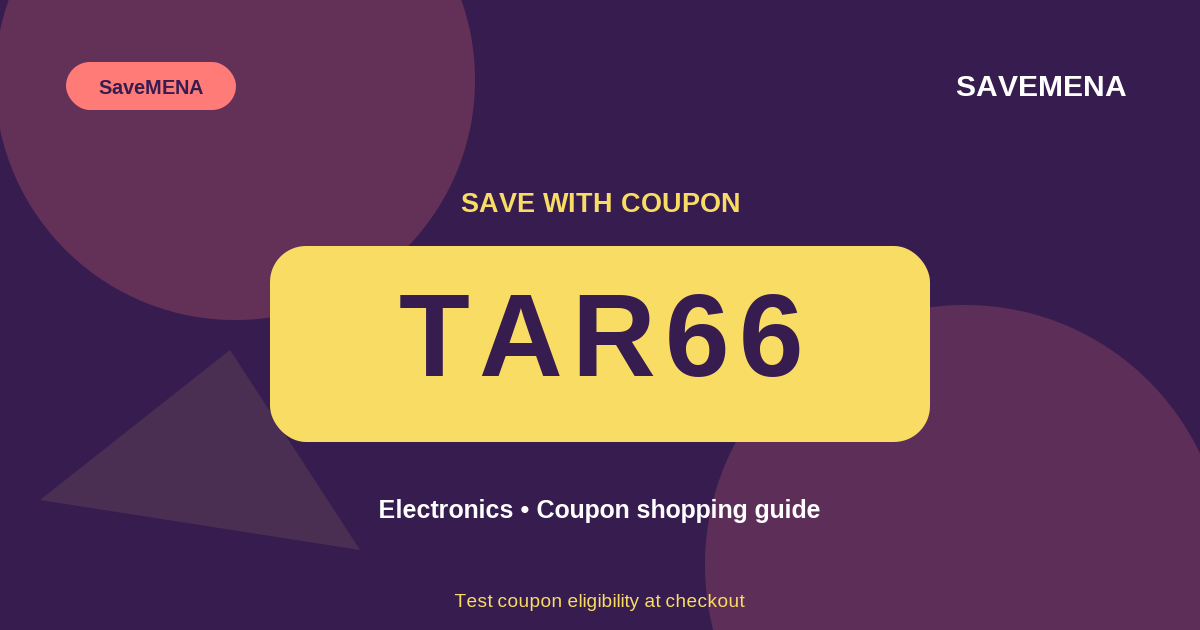
Codes available to try while comparing
These codes are not guaranteed for the article topic or listed brands; test them at checkout and use the live result.
1. Finding the Exact Noon UAE Variant for Your Needs
Begin by logging onto Noon and selecting the electronics category that interests you. Focus on the “Show all” filter and then narrow your search to the precise variant you want, such as a specific generation, color, or internal configuration. The search box often returns multiple listings, but each listing’s headline will contain the variant details, so read them carefully to avoid confusion. Make sure you’re looking at the latest model: older variants may be listed with a “previous generation” tag, which can affect functionality and warranty.
Before adding items to your cart, double‑check the variant’s technical specifications. Noon’s product pages typically list all hardware details, including processor, memory, and battery capacity. Compare these against manufacturer specifications to confirm you’re getting the exact configuration you desire. Keep in mind that any deviation, such as a lower memory option, could change the price significantly, so confirm the variant matches your requirements exactly.
2. Comparing Prices Before Finalizing a Purchase
Once you’re sure of the variant, use Noon’s sorting options to display the price range of the product across different sellers. The platform lists multiple sellers, each with their own price and shipping terms. Don’t rely solely on the lowest price displayed; check if the seller is listed as “Verified” or “Authorized Dealer” to ensure authenticity. Some sellers may price cheaper but have higher shipping fees, which could negate the savings.
When you compare, jot down the seller ID or name, price, and estimated delivery window. Noon’s interface allows you to flag or bookmark sellers for later review. Pay attention to any displayed promotions or offers, but remember the coupon code TAR71 can still be applied at checkout regardless of any running sale. By keeping these notes, you’ll have a clear comparison sheet to reference before you proceed to checkout.
3. Ensuring Variant Accuracy Across Sellers
Before finalizing a seller, scroll down to the product description to confirm the variant details match the seller’s listing. Some sellers might subtly mislabel color or storage options, leading to an unintended variant. A quick test is to hover over the product image or tap the color swatch; the displayed variant should match the text in the listing. If there’s any discrepancy, contact the seller through Noon’s messaging system for clarification.
Electronic products are highly standardized but small differences exist between manufacturers. Verify the specified firmware version or optional accessories included in the package. Noon’s product pages often list included items, such as wall adapters or protective cases; ensure these correspond to your requirement before adding to the cart. You can also view user reviews for insights on whether the seller’s variant matches the advertised model.
5. The Importance of Choosing the Right Payment Method
Your payment method can influence the total cost and convenience of the transaction. Noon accepts several payment options, including credit or debit cards, digital wallets, and installment plans. Some payment methods offer interest-free installments, while others may charge processing fees. The decision lens for this article is examining how each method affects your overall expenditure.
When selecting a payment method, check if the chosen option is linked to any merchant‑specific offers or cashback. For example, a card from a particular bank might provide additional cashback on e‑commerce purchases. Verify the availability of such benefits by logging into your banking interface or reading the payment provider’s terms. Always double‑check the total payable amount after any potential fees are applied.
6. Matching Payment Method with Noon’s Electronics Rules
Noon has specific guidelines for payment on electronics, especially for high‑priced items. Some sellers require a down payment or a credit card lock‑in before shipping. Before confirming payment, review the seller’s shipping policy or any stipulated payment milestones. If your chosen payment method requires a larger initial stake, factor this into your budget.
Check whether the seller accepts your payment method. Some merchants on Noon will only process payments through certain wallets or bank cards. If a preferred method is unsupported, consider using an alternative that offers similar convenience or benefits. You can also review your selected payment method in the “Payment Details” screen to confirm it’s correctly linked to your buyer account.
7. Tracking Delivery and Handling Fees
After selecting a seller and applying a coupon, Noon will display the estimated delivery date and any handling or shipping fees. Handling fees may vary by seller, and free shipping often applies beyond a certain purchase threshold. Confirm the delivery window and compare it with other sellers to ensure you’re comfortable with the timing.
In the order summary, the handling fee appears as a separate line item. Some sellers offer “express” delivery for an additional fee, while standard shipping may be cheaper. If you’re price‑sensitive, opt for standard shipping and verify the estimated arrival dates fit your schedule. For high‑value items, ensure the package is insured or covered under Noon’s delivery protection policy.
8. Finalizing the Order and Payment Confirmation
With the correct variant, applied coupon, chosen payment method, and verified fees, proceed to review the final order details. Noon will show a grand total that includes the item price minus any discount, plus shipping and handling charges. If everything looks right, confirm the payment method and complete the transaction. Avoid making changes after submitting the order to prevent double‑charges or cancellations.
Once the order is confirmed, you’ll receive an email and a confirmation page summarizing all details. Store this confirmation for future reference or in case you need to track the shipment. If you inadvertently selected the wrong variant or payment method, you may still be able to cancel or modify the order before it is dispatched; contact Noon’s support quickly to discuss options.
Related SaveMENA pages
Related articles
Official sources to check
Frequently asked questions
How do I determine if the variant I selected matches the seller’s listing on Noon?
Check the product title and description on the seller’s listing for storage size, color, and other specifications. Hover or tap color swatches to confirm the displayed variant. If there are discrepancies, contact the seller via Noon’s messaging before adding to cart.
Can I rely on the TAR71 coupon code to get a discount, or will it sometimes fail?
The TAR71 coupon is available for trial, meaning it may or may not apply depending on the seller’s promotion rules. If it does not activate, you can still proceed without a discount. Check the coupon field during checkout for confirmation.
Will all payment methods show the same total amount after applying the coupon?
Payment methods may add processing fees or provide cashback, so the final total can vary slightly. Always review the “Order Summary” to confirm any fee differences before completing payment.
What should I do if the delivery estimate on Noon is longer than I expect?
Compare the delivery windows of other sellers for the same variant. If your preferred seller offers a longer estimate, you can search for alternative sellers or consult Noon’s support for possible shipping options.