Sony Gaming on Noon UAE: payment method — variant and model checks
For UAE gamers seeking the most recent Sony titles on Noon, finding the correct product variant and pairing it with an accepted payment method can make the
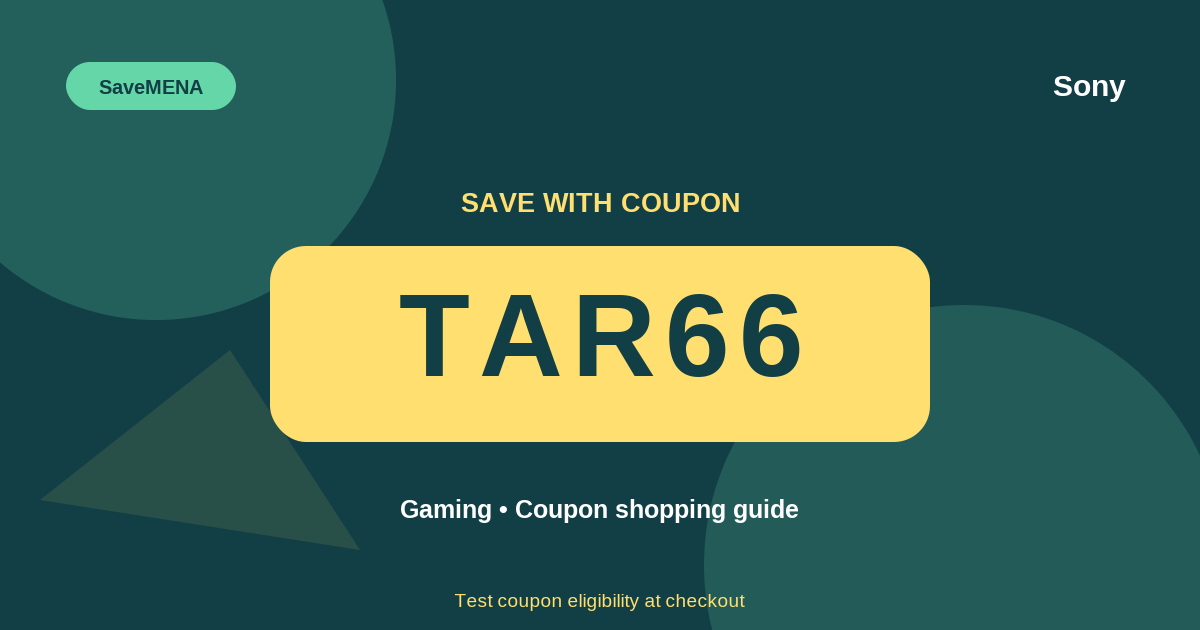
Codes available to try while comparing
These codes are not guaranteed for the article topic or listed brands; test them at checkout and use the live result.
Identifying the Exact Noon UAE Variant for Gaming Sony
When browsing Noon’s catalog for Sony gaming gear, the vendor description often lists multiple variant codes. UAE customers should look for the variant that explicitly mentions “UAE” or “Dubai” in the title; this indicates the product has been cleared for local import regulations and warranty service within the United Arab Emirates. Pay attention to any mention of “Noon UAE variant” in the product title, as this is the flag that signals it is stocked specifically for the UAE market, ensuring you receive the right voltage specifications and FCC‑type certifications. By matching the exact variant before adding to cart, you avoid delayed shipping or complications that arise from purchasing an overseas version that might not be compatible with local browsers.
After you’ve confirmed the exact variant, review the product page’s seller information. Noon’s marketplace hosts a variety of merchants, some of whom are pre‑approved for selling Sony-branded items in the UAE. The seller’s rating and quantity in stock should be checked at that point, but remember the editorial does not guarantee any rating thresholds or stock counts. At checkout, you will see the final product selection; if there is any mismatch, you can remove the item and re‑select the proper variant. This process protects you from technical glitches, such as wrong model numbers, which might invalidate a coupon or affect payment compatibility.
Why the Payment Method Matters in Noon UAE Purchases
A centerpiece for any online purchase on Noon, especially for high‑ticket gaming hardware, is the payment method you choose. Noon UAE accepts multiple options, but not all of them process Sony‑branded credit or debit cards smoothly. Selecting the right payment method is therefore critical: it affects both the speed of authorization and the likelihood that coupon discounts will be applied. When a buyer disables two‑factor authentication or uses a card not previously registered for UAE transactions, the checkout could fail or be delayed, leaving the product on hold in the cart for a limited time.
Because the editorial’s decision lens is payment method, shoppers are encouraged to verify that the card issuer supports international transactions, that the card’s currency mapping aligns with Noon’s AED listing, and that any potential limits are cleared before the final step. Often, a single missed verification can require you to start over or revert to a safer, but perhaps less rewarding, payment choice. Checking these details during research—not only at checkout—helps you avoid unexpected rejections that would otherwise hinder your gaming setup timeline.
Confirming Sony Payment Compatibility on Noon UAE
Sony’s ecosystem includes a range of payment methods, some of which are integrated with Noon’s online checkout. If you wish to use a Sony‑associated payment line, such as a card pre‑loaded in a Sony wallet or a direct PayPal connection that is also valid on Sony devices, confirm that the seller’s “Payment Options” list on Noon contains that method. In the context of UAE, card issuers like Emirates NBD or Mashreq often support Sony‑compatible card networks; however, Noon’s system may filter certain networks for security reasons.
To ensure the payment method you choose will work, scroll to the bottom of the product detail page where Noon lists accepted payment methods. If your preferred Sony payment is visible there, you have a green flag. If it’s absent, consider switching to a universally accepted solution like a debit card or a digital wallet that has prior transaction history on Noon. Your goal is to map your Sony payment method to Noon’s accepted list so the final transaction occurs without friction. This explicit alignment in your pre‑checkout research saves time and avoids an abrupt “payment declined” message that could force you to reassess the order.
Using the TAR66 Coupon Safely in the Shopping Flow
Coupons on Noon provide an extra layer of savings, but they only work if they hit the eligibility checks in the checkout engine. The TAR66 code is the only coupon you are advised to try, and its usefulness is dependent on both the product variant and the selected payment method. After you have added the proper “Noon UAE variant” of the Sony gaming item to your cart, proceed to the checkout page where you can enter coupon codes. Do this before choosing your payment method.
The success of the coupon will be reflected at the checkout summary, where the engine recalculates the final payable amount. If the coupon fails, the system will prompt you that it is not applicable for this transaction—this does not indicate an error but simply that the limits or compatibility requirements were not met. If you notice such a prompt, verify that you have selected a supported payment method for this coupon category. Checking these details early in the flow allows you to react promptly, either by altering the method or by re‑purchasing once eligibility is confirmed.
Comparing Noon‑Delivered Gamers with Other Platforms
UAE shoppers often weigh Noon against other regional e‑commerce sites for Sony gaming gear. A key factor in this comparison is how each site handles payment methods tied to Sony’s offerings. Noon, unlike some competitors, has a more transparent list of accepted payment types on each product page. Knowing whether your Sony‑linked card or a favored UAE‑based prepaid option will go through helps you decide if Noon remains your platform of choice.
Beyond the payment angle, test the return policy and after‑sales support. While the article focuses on payment, a quick glance at the customer service hotline and FAQ entries specific to Sony consoles within Noon can reveal whether the vendor is prepared to handle warranty claims. This information complements the payment decision: a reliable payment method paired with robust post‑sale support creates a safer investment, especially for high‑end gaming equipment where a fault could mean disrupted gameplay for weeks.
How to Ensure a Smooth Transaction on Noon UAE
Before you hit “Place Order,” it is prudent to review two essential items: the payment method and the coupon application. Scroll through the order summary on Noon’s checkout menu, ensuring that the amount listed matches the vendor’s declared price for the UAE variant. Then verify that your Sony‑compatible card or alternative method is active on your phone or PC, and that the billing address matches the account profile.
At this point, apply the TAR66 coupon if the system still permits it, and watch the adjustment appear instantly. If the discount does not appear, it is wise to save the cart and refresh the page; sometimes backend recalculations take a moment. Once the final payable total is displayed, confirm that the currency is the United Arab Emirates Dirham. A mismatch here—shown in USD or a different currency—could indicate a regional shipping issue.A coupon is not guaranteed; verify its result at the retailer checkout.
Common Pitfalls with Payment Methods and Coupons in the UAE
The UAE currency landscape and Noon’s payment system can reveal hidden challenges. For instance, using a credit card with a foreign billing address may trigger a fraud screen that prevents the purchase, regardless of the coupon’s eligibility. Similarly, a coupon code that works on a local Sony gaming action may not transfer to a digital bundle or a bundle that includes younger age‑restricted titles, as Noon may enforce silent restrictions at checkout that are not visible on the product page.
To dodge these issues, always double‑check card details and match them with Noon’s acquirer database. If a coupon fails, try clearing your cache or logging out before re‑entering it; sometimes cookie data can prevent a new code from populating correctly. This process is part of a broader discipline: verify the payment method’s compatibility with the selected product before applying the code; reverse if compatibility fails, rather than waiting for a delayed confirmation.
Final Check: Do It Right Before You Checkout
The last moment before placing your order is critical. Re‑enter your shopping cart, confirm the correct Noon UAE variant, and double‑check your payment method’s link to Sony compatibility. Scanning the cart’s totals for any changes in discount or shipping charges—particularly after the coupon has been applied—is essential. If anything looks inconsistent, pause, reload if necessary, and re‑confirm the entries.
Once every element lines up—the variant, the seller, the payment method, and the coupon—the “Place Order” button should open a final confirmation page that matches the entire shopping experience you sought. Keep this page as a reference; if Noon redirects you unexpectedly, you still have the printed or screenshot evidence of the intended transaction. The editorial’s reliance on payment method as the decision lens assures that if any problem arises, you have a clear path to resubmit, retry, or contact Noon’s support, all of which pivot on the fund transfer that underpins your purchase.
Related SaveMENA pages
Related articles
Official sources to check
Frequently asked questions
Can I use the TAR66 coupon with any payment method on Noon?
The coupon can be entered during checkout, but its applicability may depend on the chosen payment method and the product variant. If the coupon does not accept your selected method, it may be rejected your checkout. You must verify at checkout that the combination is supported.
A coupon is not guaranteed; verify its result at the retailer checkout.
Noon does not guarantee the coupon will produce a discount. The code is available to try, but the final amount you receive is determined by Noon’s discount engine at checkout.
What should I do if my Sony payment method is declined?
Check that the card is activated for international transactions, the billing address matches your Noon profile, and that it is listed among approved payment options. If it still declines, switch to another proven method before retrying.
Will using the TAR66 coupon affect the payment fees?
The coupon applies only to the base price of the item and does not alter any additional payment processing or shipping fees. These charges are calculated separately during checkout.