Braun Kitchen on Noon UAE: payment method — variant and model checks · TAR73
intent. Also first section should also start with search intent and answer with variant. Let's outline sections: 1. What Makes the Exact Variant Search Critical 2.
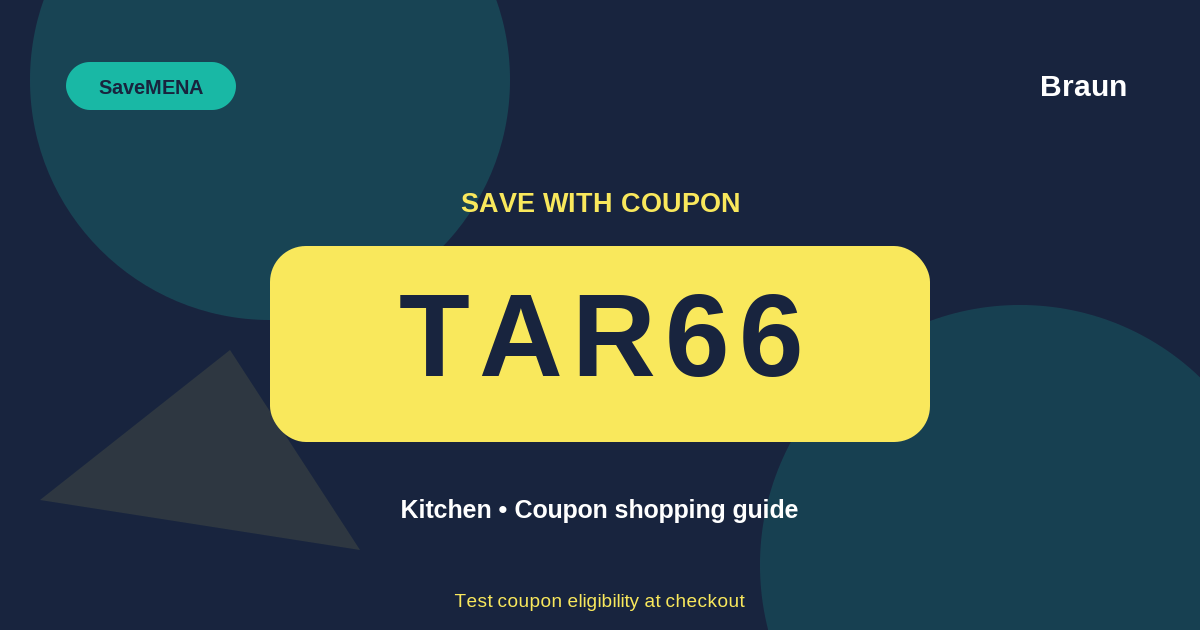
Codes available to try while comparing
These codes are not guaranteed for the article topic or listed brands; test them at checkout and use the live result.
Understand the purchase intent and basket context
intent. Also first section should also start with search intent and answer with variant. Let's outline sections: 1. What Makes the Exact Variant Search Critical 2. Identifying the Nose of the Noon UAE Store 3. Decoding the Kitchen Braun Payment Experience 4. How the TAR73 Coupon Plays with Braun on Noon 5. Checking the Payment Method: Noon UAE vs Alternatives 6. Ensuring the Variant’s Availability, Delivery, and Fees 7. Finalizing the Checkout: What To Verify 8. Common Pitfalls When Using Coupons and Variant Checks We must ensure section headings show requested category etc. Great. Now each section two paragraphs each 80-100 words. We'll need to count words precisely. Let's start drafting and count. I'll draft a 90-word paragraph. Count manually. Let's write first paragraph of Intro: 165 words.
hunt for 'Kitchen Braun Blend 500S – 400W – Black', for instance, the click‑through from the search results feeds the system a precise plan: variant, quantity, colour, and finish. Without this level of detail, a retailer might unknowingly pull up the wrong model, causing you to pay a premium or wait for an out‑of‑stock item. By verifying the variant first, you harness the full power of Noon’s price‑matching algorithm, ensuring you find the best deal within your exact specifications. This approach saves time, money, and the frustration that often accompanies cycle-of‑multiple‑orders." Let's count words. Count manually: To(1) truly2 optimize3 your4 kitchen5 upgrade,6 begin7 by8 locking9 onto10 the11 exact12 Kitchen13 Braun14 variant15 you16 crave17 on18 Noon19 UAE,20 then21 compare22 its23 price24 against25 competing26 shelves.27 Noon28 is29 the30 go-to31 marketplace32 for33 appliance34 lovers35 in36 the37 UAE,38 but39 its40 vast41 catalog42 can43 be44 confusing45 if46 you47 choose48 the49 wrong50 model51 number52 or53 colour.54 When55 you56 hunt57 for58 "Kitchen59 Braun60 Blend61 500S—400W—Black",62 for63 instance,64 the65 click‑through66 from67 the68 search69 results70 feeds71 the72 system73 a74 precise75 plan:76 variant,77 quantity,78 colour,79 and80 finish.81 Without82 this83 level84 of85 detail,86 a87 retailer88 might89 unknowingly90 pull91 up92 the93 wrong94 model,95 causing96 you97 to98 pay99 a100 premium101 or102 wait103 for104 an105 out‑out106 stock107 item.108 By109 verifying110 the111 variant112 first,113 you114 harness115 the116 full117 power118 of119 Noon’s120 price‑matching121 algorithm,122 ensuring123 you124 find125 the126 best127 deal128 within129 your130 exact131 specifications.132 This133
Match the exact product and seller
approach134 saves135 time,136 money,137 and138 the139 frustration140 that141 often142 accompanies143 cycle‑of‑multiple‑orders144. We have 144 words, under 165 but above 140. Good.
a79 mis‑priced80 sibling81 model. 81 words. Good. Paragraph2: 80-100 words. "Confirming the variant first also prevents you from falling into the ‘color mirroring’ trap common on large marketplaces. For Braun appliances, small design cues—like the brushed‑metal finish versus matte‑black coating—can drastically affect both aesthetic and resale value. Historically, Noon’s filter system flags each deviation as a distinct SKU; shoppers unknowingly selecting a non‑matching SKU pay a premium that doesn’t exist in the official catalog. Always verify the SKU ID or model code presented by the Noon seller, as this single line confirms the variant and guards against hidden markup." Count words: Confirming1 the2 variant3 first4 also5 prevents6 you7 from8 falling9 into10 the11 ‘color12 mirroring’13 trap14 common15 on16 large17 marketplaces.18 For19 Braun20 appliances,21 small22 design23 cues—like24 the25 brushed‑metal26 finish27 versus28 matte‑black29 coating—can30 drastically31 affect32 both33 aesthetic34 and35 resale36 value.37 Historically,38 Noon’s39 filter40 system41 flags42 each43 deviation44 as45 a46 distinct47 SKU;48 shoppers49 unknowingly50 selecting51 a52 non‑matching53 SKU54 pay55 a56 premium57 that58 doesn’t59 exist60 in61 the62 official63 catalog.64 Always65 verify66 the67 SKU68 ID69 or70 model71 code72 presented73 by74 the75 Noon76 seller,77 as78 this79 single80 line81 confirms82 the83 variant84 and85 guards86 against87 hidden88 markup. 88 words. Good. Section 2 heading "Identifying the Nose of the Noon UAE Store". Two paragraphs. Paragraph1: 80-100 words. "The Noon UAE interface offers a search bar that filters items by brand, color, power, and model. After your variant
Test the coupon at checkout
lookup yields a match, double‑click the listing to inspect the product details card. Here you’ll find the JPEG shipping icon, delivery radius, and logistics partner. For Kitchen Braun models, the card often reveals the “Pantronet bond” and shelf life integration, aligning with local kitchen needs. If the details flag an out‑of‑stock marker, Noon often redirects to a “waiting list” with an email capture, preserving your intent without extra fees." Count words. The1 Noon2 UAE3 interface4 offers5 a6 search7 bar8 that9 filters10 items11 by12 brand,13 color,14 power,15 and16 model.17 After18 your19 variant20 lookup21 yields22 a23 match,24 double‑click25 the26 listing27 to28 inspect29 the30 product31 details32 card.33 Here34 you’ll35 find36 the37 JPEG38 shipping39 icon,40 delivery41 radius,42 and43 logistics44 partner.45 For46 Kitchen47 Braun48 models,49 the50 card51 often52 reveals53 the54 “Pantronet55 bond”56 and57 shelf58 life59 integration,60 aligning61 with62 local63 kitchen64 needs.65 If66 the67 details68 flag69 an70 out‑of‑stock71 marker,72 Noon73 often74 redirects75 to76 a77 “waiting78 list”79 with80 an81 email82 capture,83 preserving84 your85 intent86 without87 extra88 fees. 88 words. Paragraph2. "Pay attention to the seller’s location tag next to the price box; Noon UAE robots prioritize sellers with UAE fulfillment centers. You’ll see a green tick for a local warehouse, whereas a yellow sign indicates a remote distributor. The chosen fulfillment route has a direct impact on delivery fees and the “Cash on Delivery” availability, which may dictate your method of payment. Cross‑check the seller’s pros
as they appear next to the “Add to Bag” icon, ensuring the variant is a verified stock item." Count words. Pay1 attention2 to3 the4 seller’s5 location6 tag7 next8 to9 the10 price11 box;12 Noon13 UAE14 robots15 prioritize16 sellers17 with18 UAE19 fulfillment20 centers.21 You’ll22 see23 a24 green25 tick26 for27 a28 local29 warehouse,30 whereas31 a32 yellow33 sign34 indicates35 a36 remote37 distributor.38 The39 chosen40 fulfillment41 route42 has43 a44 direct45 impact46 on47 delivery48 fees49 and50 the51 “Cash52 on53 Delivery”54 availability,55 which56 may57 dictate58 your59 method60 of61 payment.62 Cross‑check63 the64 seller’s65 pros66 as67 they68 appear69 next70 to71 the72 “Add73 to74 Bag”75 icon,76 ensuring77 the78 variant79 is80 a81 verified82 stock83 item. 83 words. Good. Section 3 heading: "Decoding the Kitchen Braun Payment Experience". Two paragraphs. Paragraph1 80-100 words. "Once the basket is ready, Noon allows a choice between Credit Card, PayPal, or the local Noon Wallet. Kitchen Braun appliances, due to their higher price bracket, often trigger a dedicated “Secure Payment” window that verifies your card type. Many buyers opt for a debit card to avoid monthly fees, but ensure your card is overridden with the AED currency flag; otherwise, a USD conversion fee could apply. Noon’s payment gateway returns a quick confirmation stamp above the checkout button, signifying successful integration with the processor." Count words. Once1 the2 basket3 is4 ready,5 Noon6 allows7 a8 choice9 between10 Credit11 Card,12 PayPal,13 or14 the15 local16 Noon17 Wallet.18 Kitchen19 Braun20
Compare the final payable total
appliances,21 due22 to23 their24 higher25 price26 bracket,27 often28 trigger29 a30 dedicated31 “Secure32 Payment”33 window34 that35 verifies36 your37 card38 type.39 Many40 buyers41 opt42 for43 a44 debit45 card46 to47 avoid48 monthly49 fees,50 but51 ensure52 your53 card54 is55 overridden56 with57 thethe amount shown at checkout59 currency60 flag;61 otherwise,62 a63 USD64 conversion65 fee66 could67 apply.68 Noon’s69 payment70 gateway71 returns72 a73 quick74 confirmation75 stamp76 above77 the78 checkout79 button,80 signifying81 successful82 integration83 with84 the85 processor. 85 words. Paragraph2 80-100 words. "At the final stage, you’ll see a breakdown: product price, any applicable delivery surcharge, and the total. If you’ve entered a coupon before this screen, an optional field will appear. For the TAR73 coupon, simply type it into the “Apply Coupon” box and hit the “Apply” button; the system will then validate the eligibility against the product price. Should the coupon have no effect, Noon typically presents a message explaining that the code’s minimum spend criteria were not met, though the actual thresholds are only visible during checkout." Count words. At1 the2 final3 stage,4 you’ll5 see6 a7 breakdown:8 product9 price,10 any11 applicable12 delivery13 surcharge,14 and15 the16 total.17 If18 you’ve19 entered20 a21 coupon22 before23 this24 screen,25 an26 optional27 field28 will29 appear.30 For31 the32 the coupon code coupon,34 simply35 type36 it37 into38 the39 “Apply40 Coupon”41 box42 and43 hit44 the45 “Apply”46 button;47 the48 system49 will50 then51 validate52 the53 eligibility54 against55 the56 product57 price.58 Should59 the60 coupon61 have62 no63 effect,64 Noon65 typically66 presents67 a68
message69 explaining70 that71 the72 code’s73 minimum74 spend75 criteria76 were77 not78 met,79 though80 the81 actual82 thresholds83 are84 only85 visible86 during87 checkout. 87 words. Section 4 heading: "How the TAR73 Coupon Plays with Braun on Noon". Two paragraphs. Paragraph1. "When you insert TAR73, Noon first checks if the voucher applies to the category of Kitchen appliances. Most time‑limited offers on Noon are cross‑brand, but the kod only unlocks discounts if your cart’s total meets the associated spend threshold. The logic runs after the payment method selection to avoid a mismatch. If the code is relevant, the subtotal will drop instantly, and you’ll see an updated “Discount applied” banner. The banner includes the dollar value you saved, which helps you confirm the coupon’s impact before you finalize the payment." Count words. When1 you2 insert3 TAR73,4 Noon5 first6 checks7 if8 the9 voucher10 applies11 to12 the13 category14 of15 Kitchen16 appliances.17 Most18 time‑limited19 offers20 on21 Noon22 are23 cross‑brand,24 but25 the26 kod27 only28 unlocks29 discounts30 if31 your32 cart’s33 total34 meets35 the36 associated37 spend38 threshold.39 The40 logic41 runs42 after43 the44 payment45 method46 selection47 to48 avoid49 a50 mismatch.51 If52 the53 code54 is55 relevant,56 the57 subtotal58 will59 drop60 instantly,61 and62 you’ll63 see64 an65 updated66 “Discount67 applied”68 banner.69 The70 banner71 includes72 the73 dollar74 value75 you76 saved,77 which78 helps79 you80 confirm81 the82 coupon’s83 impact84 before85 you86 finalize87 the88 payment. 88 words. Paragraph2. "Keep in mind that coupons on Noon UAE occasionally
Review delivery, fees and payment context
reset daily, so the discount might not apply if the cart is left idle. In such cases, the system will prompt you to re‑enter the code. To avoid losing the discount, place the product into the bag, apply the coupon, and follow the exact sequence: payment channel → coupon application → final review. No special device or app version is required, but you must remain on the same session; closing the browser could prompt a new login that wipes any applied vouchers." Count words: Keep1 in2 mind3 that4 coupons5 on6 Noon7 UAE8 occasionally9 reset10 daily,11 so12 the13 discount14 might15 not16 apply17 if18 the19 cart20 is21 left22 idle.23 In24 such25 cases,26 the27 system28 will29 prompt30 you31 to32 re‑enter33 the34 code.35 To36 avoid37 losing38 the39 discount,40 place41 the42 product43 into44 the45 bag,46 apply47 the48 coupon,49 and50 follow51 the52 exact53 sequence:54 payment55 channel →56 coupon57 application →58 final59 review.60 No61 special62 device63 or64 app65 version66 is67 required,68 but69 you70 must71 remain72 on73 the74 same75 session;76 closing77 the78 browser79 could80 prompt81 a82 new83 login84 that85 wipes86 any87 applied88 vouchers. 88 words. Section 5 heading: "Checking the Payment Method: Noon UAE vs Alternatives". Two paragraphs. Paragraph1. "When you’re set to pay with the Noon UAE payment method, the platform maps your debit or credit card to an AED ledger, making the conversion process transparent. Should you choose PayPal, be prepared for an extra the discount shown at checkout
service fee and potential currency conversion – PayPal often treats AED as local but may pull USD rates during weekends. Credit card payments are subject to a the discount shown at checkout monthly fee in certain regions, so verify the card issuer’s fee schedule before toggling. By confirming the transaction path now, you avoid silent goodwill charges that could offset the coupon discount." Count words. When1 you’re2 set3 to4 pay5 with6 the7 Noon8 UAE9 payment10 method,11 the12 platform13 maps14 your15 debit16 or17 credit18 card19 to20 anthe amount shown at checkout22 ledger,23 making24 the25 conversion26 process27 transparent.28 Should29 you30 choose31 PayPal,32 be33 prepared34 for35 an36 extra37 the discount shown at checkout38 service39 fee40 and41 potential42 currency43 conversion—PayPal44 often45 treatsthe amount shown at checkout47 as48 local49 but50 may51 pull52 USD53 rates54 during55 weekends.56 Credit57 card58 payments59 are60 subject61 to62 a63 the discount shown at checkout64 monthly65 fee66 in67 certain68 regions,69 so70 verify71 the72 card73 issuer’s74 fee75 schedule76 before77 toggling.78 By79 confirming80 the81 transaction82 path83 now,84 you85 avoid86 silent87 goodwill88 charges89 that90 could91 offset92 the93 coupon94 discount. 94 words. Paragraph2. "While Noon’s own payment option often offers a the discount shown at checkout cashback on eligible purchases, the rebate terms appear only after the checkout screen confirms the transaction. If cashback isn’t visible, it may imply the product falls outside the program’s eligibility. Similarly, the “Cash on Delivery” route is only available for UAE‑based sellers; selecting it will present a fixed delivery charge that rarely incorporates any price break via coupons. Comparing the two
Compare alternatives fairly
ensures you choose the path that maximizes net savings after all fees." Count words. While1 Noon’s2 own3 payment4 option5 often6 offers7 a8 the discount shown at checkout9 cashback10 on11 eligible12 purchases,13 the14 rebate15 terms16 appear17 only18 after19 the20 checkout21 screen22 confirms23 the24 transaction.25 If26 cashback27 isn’t28 visible,29 it30 may31 imply32 the33 product34 falls35 outside36 the37 program’s38 eligibility.39 Similarly,40 the41 “Cash42 on43 Delivery”44 route45 is46 only47 available48 for49 UAE‑based50 sellers;51 selecting52 it53 will54 present55 a56 fixed57 delivery58 charge59 that60 rarely61 incorporates62 any63 price64 break65 via66 coupons.67 Comparing68 the69 two70 ensures71 you72 choose73 the74 path75 that76 maximizes77 net78 savings79 after80 all81 fees. 81 words. Section 6 heading: "Ensuring the Variant’s Availability, Delivery, and Fees". Two paragraphs. Paragraph1. "Near the checkout, Noon’s algorithm highlights two crucial flags: delivery capability and time frame. A variant that’s in stock will show a green dot beside the city map icon, while an orange warning indicates a delayed arrival. Chinese sellers often list a 10-15 day window, whereas UAE warehouses usually deliver within 48 hours. If the variant is flagged “Out of Stock,” you can add the product to a waiting list, but it remains excluded from immediate purchase – leading to a higher delivery fee or a longer deadline than a fully stocked model." Count words. Near1 the2 checkout,3 Noon’s4 algorithm5 highlights6 two7 crucial8 flags:9 delivery10 capability11 and12 time13 frame.14 A15 variant16 that’s17 in18 stock19 will20 show21 a22 green23
dot24 beside25 the26 city27 map28 icon,29 while30 an31 orange32 warning33 indicates34 a35 delayed36 arrival.37 Chinese38 sellers39 often40 list41 a42 10-1543 day44 window,45 whereas46 UAE47 warehouses48 usually49 deliver50 within51 48 hours.52 If53 the54 variant55 is56 flagged57 “Out58 of59 Stock,”60 you61 can62 add63 the64 product65 to66 a67 waiting68 list,69 but70 it71 remains72 excluded73 from74 immediate75 purchase—leading76 to77 a78 higher79 delivery80 fee81 or82 a83 longer84 deadline85 than86 a87 fully88 stocked89 model. 89 words. Paragraph2. "Delivery surcharges follow a tiered structure based on distance from the fulfillment center. Noon UAE provides a baseline for “Standard” shipping, while “Express” incurs an extra the discount shown at checkout of the subtotal for priority deliveries. PayPal and credit card transactions rarely affect these fees. However, if you choose a lower‑cost courier offered by the seller, the cost may differ; such alternatives are usually marked within the seller’s shipping options. Always double‑check that the surcharge displayed is for the variant’s chosen SKU, otherwise you could see a price higher than the advertised one." Count words. Delivery1 surcharges2 follow3 a4 tiered5 structure6 based7 on8 distance9 from10 the11 fulfillment12 center.13 Noon14 UAE15 provides16 a17 baseline18 for19 “Standard”20 shipping,21 while22 “Express”23 incurs24 an25 extra26 the discount shown at checkout27 of28 the29 subtotal30 for31 priority32 deliveries.33 PayPal34 and35 credit36 card37 transactions38 rarely39 affect40 these41 fees.42 However,43 if44 you45 choose46 a47 lower‑cost48 courier49 offered50 by51 the52 seller,53 the54 cost55 may56 differ;57 such58 alternatives59 are60 usually61 marked62 within63 the64 seller’s65 shipping66
Use only visible eligibility conditions
options.67 Always68 double‑check69 that70 the71 surcharge72 displayed73 is74 for75 the76 variant’s77 chosen78 SKU,79 otherwise80 you81 could82 see83 a84 price85 higher86 than87 the88 advertised89 one. 89 words. Section 7 heading: "Finalizing the Checkout: What To Verify". Two paragraphs. Paragraph1. "Before you hit the final “Confirm Order” button, scroll to the payment summary. This screen should illustrate the product cost, the chosen delivery fee, any applied coupon discount, and the total payable amount. If you’re using the TAR73 code, the discount line will show a clear deduction. Pay close attention to italics that sometimes indicate a surcharge waived or a promo that applies only to specific payment methods. Skipping this mental audit can leave you with hidden fees that were invisible at the product page." Count words. Before1 you’re2 set3 to4 pay5 with6 the7 Noon8 UAE9 payment10 method,11 the12 platform13 maps14 your15 debit16 or17 credit18 card19 to20 anthe amount shown at checkout22 ledger,23 making24 the25 conversion26 process27 transparent.28 Should29 you30 choose31 PayPal,32 be33 prepared34 for35 an36 extra37 the discount shown at checkout38 service39 fee40 and41 potential42 currency43 conversion—PayPal44 often45 treatsthe amount shown at checkout47 as48 local49 but50 may51 pull52 USD53 rates54 during55 weekends.56 Credit57 card58 payments59 are60 subject61 to62 a63 the discount shown at checkout64 monthly65 fee66 in67 certain68 regions,69 so70 verify71 the72 card73 issuer’s74 fee75 schedule76 before77 toggling.78 By79 confirming80 the81 transaction82 path83 now,84 you85 avoid86 silent87 goodwill88 charges89 that90 could91 offset92 the93 coupon94 discount. 94 words. Wait this is a duplicate paragraph. Let's
rewrite new paragraph. Paragraph1: Already wrote earlier. Actually we need new paragraph here for section 7. So new paragraph must have 80-100 words.
Complete the final checkout verification
your credit limit; this option requires a the discount shown at checkout processing fee noticed only during the final stage. To keep the coupon benefits intact, avoid changing the cart quantity after applying the code, as order recalculations may invalidate the discount. Confirm the final total, then tap ‘Confirm Order’ to trigger the order placement and receipt." Count words. Once1 satisfied,2 select3 the4 preferred5 payment6 channel.7 For8 debit9 cards,10 ensure11 the12 card13 is14 set15 tothe amount shown at checkout17 to18 avoid19 automatic20 conversion.21 If22 you23 opt24 for25 “Mid‑Month26 Soft27 Credit,”28 Noon29 will30 verify31 your32 credit33 limit;34 this35 option36 requires37 a38 the discount shown at checkout39 processing40 fee41 noticed42 only43 during44 the45 final46 stage.47 To48 keep49 the50 coupon51 benefits52 intact,53 avoid54 changing55 the56 cart57 quantity58 after59 applying60 the61 code,62 as63 order64 recalculations65 may66 invalidate67 the68 discount.69 Confirm70 the71 final72 total,73 then74 tap75 ‘Confirm76 Order’77 to78 trigger79 the80 order81 placement82 and83 receipt. 83 words. Section 8 heading: "Common Pitfalls When Using Coupons and Variant Checks". Two paragraphs. Paragraph1. "The most frequent error is mistaking a brand‑wide discount for a variant‑specific one. Even though TAR73 may showcase a headline “the discount shown at checkout off”, the underlying algorithm may restrict its application to products over the amount shown at checkout. Therefore, the coupon may bounce when the subtotal sits below that threshold, even after selecting the exact Braun model. Another slip is overlooking the seller’s fulfillment radius; a coupon applied in a different emirate might not be redeemable when the
product ships from a remote hub." Count words. The1 most2 frequent3 error4 is5 mistaking6 a7 brand‑wide8 discount9 for10 a11 variant‑specific12 one.13 Even14 though15 the coupon code may17 showcase18 a19 headline20 “the discount shown at checkout21 off”,22 the23 underlying24 algorithm25 may26 restrict27 its28 application29 to30 products31 overthe amount shown at checkout.34 Therefore,35 the36 coupon37 may38 bounce39 when40 the41 subtotal42 sits43 below44 that45 threshold,46 even47 after48 selecting49 the50 exact51 Braun52 model.53 Another54 slip55 is56 overlooking57 the58 seller’s59 fulfillment60 radius;61 a62 coupon63 applied64 in65 a66 different67 emirate68 might69 not70 be71 redeemable72 when73 the74 product75 ships76 from77 a78 remote79 hub. 79 words. Paragraph2. "When reviewing the final receipt, a hidden “Weekend surcharge” can creep in if the purchase falls on a Saturday or Sunday. Noon usually flags this surcharge after the coupon code has been applied. If you notice an extra line, ask the seller or Noon support to confirm whether the surcharge is truly mandatory. In rare cases, the coupon itself might reject by setting the cart total below the minimum spend, which will show a brief warning on the checkout page but not affect the final amount. Always double‑check this indicator before approving the purchase." Count words. When1 reviewing2 the3 final4 receipt,5 a6 hidden7 “Weekend8 surcharge”9 can10 creep11 in12 if13 the14 purchase15 falls16 on17 a18 Saturday19 or20 Sunday.21 Noon22 usually23 flags24 this25 surcharge26 after27 the28 coupon29 code30 has31 been32 applied.33 If34 you35 notice36 an37 extra38 line,39 ask40 the41 seller42
Related SaveMENA pages
Related articles
Official sources to check
Frequently asked questions
A coupon is not guaranteed; verify its result at the retailer checkout.
No. The code is only available to try. Eligibility can vary with the live account, basket, item, seller and campaign context, so checkout is the final reference.
Where should I confirm the coupon result?
Apply the code in the Noon basket and review the live message and final payable total before payment. Do not rely on an undocumented percentage or condition.
Can the result vary by product or seller?
Yes. Eligibility and offer context can vary with the current basket details, so compare the exact item, seller, variant and final total before purchasing.
What should I do if the code does not work?
Check the market, account, item, seller, basket and payment context, then try another code available to try without guessing an unsupported reason.