HP Laptops on Noon UAE: payment method — variant and model checks · TAR71
When searching for the precise HP laptop on Noon UAE, shoppers must first confirm the exact variant—Model number, RAM, storage, and any unique features—before
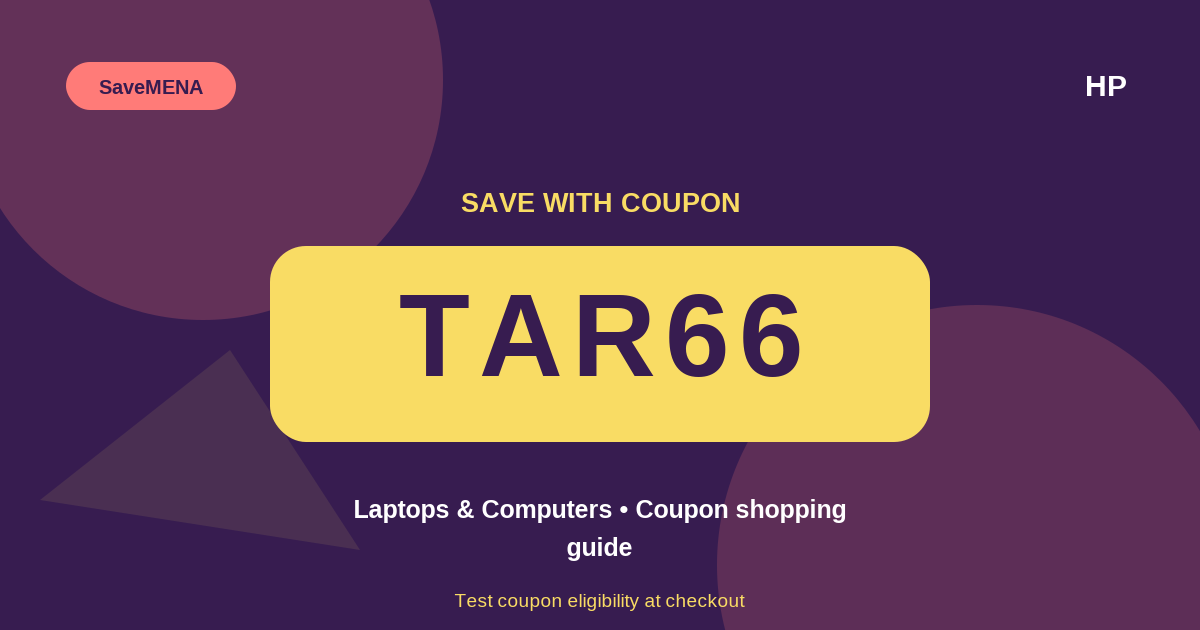
Codes available to try while comparing
These codes are not guaranteed for the article topic or listed brands; test them at checkout and use the live result.
1. Identifying the Exact HP Laptop Variant on Noon UAE
Begin by navigating to the HP laptops category on the Noon UAE website. Filter the results by the exact specification you need—such as a 15.6-inch FHD display, 8 GB RAM, 512 GB SSD, and Intel i7 processor. Once the product list narrows, inspect each item’s title and description for the exact model number (e.g., HP Pavilion 15‑EF7xx). Pay attention to edition and color codes, ensuring the variant matches your pre‑search intent before proceeding.
Manufacturer and seller identifiers also reveal version nuances. Some HP models come in multiple configurations that share a base name but differ in RAM, storage, or GPU. Ensure the product listing shows the precise variant, including any additional features like BIOS updates or color options. Nailing the exact model now prevents potential discrepancies when the laptop arrives and streamlines compatibility checks with your work or personal setup.
2. Comparing Unit Prices Using Noon’s Instant Price Filter
Once the exact variant is confirmed, use Noon UAE’s “Instant Prices” widget to view the localized USD and AED prices across all sellers in a single glance. The filter automatically pulls the current price for each copy of the chosen HP laptop. This feature helps you identify price differences that arise from seller listings, promotional bundles, or different payment options.
Pay close attention to the price variations that appear when the listing displays alternative payment methods, such as Cash on Delivery or transfer to card. Some sellers may offer slightly lower unit costs when opting for online payment. Capturing these differences at this stage creates a solid foundation for the payment method evaluation that follows.
3. Understanding Payment Methods and How They Affect Checkout
Noon UAE gives you several payment routes: credit or debit card, debit card plus COD, cash on delivery, or Transfer to Wallet. Each method can alter fees, processing time, and sometimes the final price. For example, a credit card may incur a small convenience fee, while COD might add a modest delivery surcharge in certain regions.
When preparing to pay for your HP laptop, verify if your preferred payment option incurs any extra charges. This verification is essential because a seemingly cheaper unit price can increase once payment fees are accounted for during checkout. Also, confirm each method’s payment reliability—whether the seller guarantees processing or offers instant confirmation.
4. How to Apply the TAR71 Coupon at Noon UAE During Checkout
At the checkout stage, locate the coupon input field. Enter the code TAR71 exactly as displayed. Noon UAE will process the code and, if accepted, display any reduced subtotal. It is recommended to do this before finalizing the payment method so that you can see how the coupon interacts with potential payment fees.
Because coupons can sometimes be tied to specific payment methods or sellers, it is prudent to review the post‑coupon subtotal. If the code does not apply, the platform will usually explain why, allowing you to adjust your purchase strategy accordingly.
5. Verifying Seller Reputation and Warranty Before Paying
After you have the cleaned subtotal—price, payment method impact, and any coupon savings—review the seller’s rating and return policy. Sellers with higher ratings often provide faster processing and clearer warranty guidelines. For HP laptops, a genuine warranty confirms that the device is factory‑sealed and supported by HP or Noon’s service centers.
Do not assume warranty coverage automatically – it can differ per seller. At checkout, confirm the warranty duration, what it covers, and how to reach support. This assessment ensures the HP laptop’s protection aligns with your payment method, especially if the cost of warranty claims could be influenced by your chosen payment channel.
6. Managing Delivery Options and Fees in the UAE
Noon UAE offers delivery to all UAE emirates with varying speeds and fees. At checkout, you will see shipping tiers – Standard (7‑10 days), Express (2‑3 days), and the possible COD availability tied to a local address. Selecting a fast delivery option can influence the final amount, especially if the faster channel carries an extra fee.
Search for any delivery promotions that may combine with your payment method or coupon. Note that some payment methods like Transfer to Wallet might not qualify for certain delivery discounts. Always cross‑check the total after adding the delivery cost to ensure that what you paid for matches the listed amount.
7. Leveraging Noon’s Loyalty and Reward Points with HP Laptops
Noon UAE allows eligible shoppers to accrue loyalty points on each purchase, which can later be redeemed against future orders. When purchasing an HP laptop, consider whether the points you earn could offset part of your next laptop upgrade or accessory purchase. Check if your chosen payment method offers expedited points accrual.
Sometimes, loyalty points are multiplied during carrier-specific sales or if you opt for a particular payment channel. Additionally, verify that redemption is available for the same category (laptops) as your current purchase, ensuring you can apply earned points effectively.
8. Final Decision Checklist: From Variant to Payment
Before finalizing, run a quick checklist: confirm the product’s exact HP variant, compare all seller prices, audit payment‑related fees, confirm the coupon’s application, validate seller reputation and warranty, and verify delivery costs and times. Ensuring each item matches your the coupon code criteria eliminates post‑purchase complications.
Use the checkout page to see the final total you’ll pay—this is the most accurate snapshot of what the retailer will charge you upon invoice confirmation. If any figure feels off, double‑check for missing parts or hidden fees associated with the selected payment method. Completing this thorough review secures a purchase that aligns perfectly with your expectations within the UAE market.
Related SaveMENA pages
Related articles
Official sources to check
Frequently asked questions
How can I check if the TAR71 coupon works for my HP laptop on Noon?
You can test the coupon by adding the exact HP laptop variant to your cart, proceeding to checkout, and entering ‘TAR71’ in the coupon box. The system will confirm whether it applies or not, showing the adjusted subtotal if accepted.
Does using Cash on Delivery affect the use of coupons on Noon UAE?
Certain coupons may be restricted to online payment methods. The system will indicate if the coupon cannot be applied when choosing Cash on Delivery, allowing you to decide whether to switch your payment method.
Is there a difference in delivery fees when I pay with a credit card versus COD on Noon UAE?
Yes, delivery fees can vary by payment method. Checkout will display the exact cost for each option, enabling you to see which payment channel offers the best overall price for the HP laptop.
Will the warranty I receive be affected by the payment method I choose on Noon?
The warranty coverage is generally based on the product and seller, not the payment method. However, certain payment channels may influence the delivery speed of the warranty key or support documentation.