Huawei Tablets on Noon UAE: payment method — variant and model checks · TAR73
If you want to match the exact variant of a Huawei tablet before comparing prices on Noon UAE, you need to follow a deliberate process that prioritizes variant
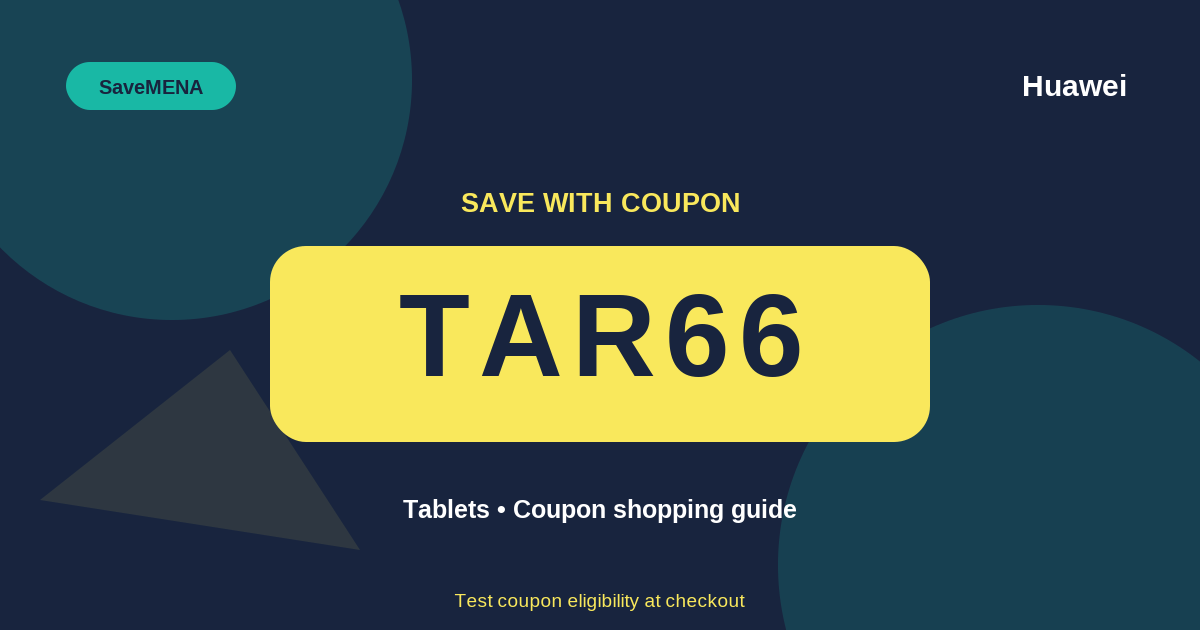
Codes available to try while comparing
These codes are not guaranteed for the article topic or listed brands; test them at checkout and use the live result.
Choosing the Exact Huawei Tablet Variant on Noon UAE
The first hurdle is correctly identifying and listing the precise variant of the Huawei tablet you intend to buy. Noon displays multiple listings for the same brand under different configurations: storage, connectivity, and even regional firmware. Start by noting the key variant details—clock speed, RAM, internal storage, cell‑carrier compatibility, and whether it’s a Wi‑Fi Only or LTE model. Once the exact specification is confirmed, copy the product’s official title and SKU from Noon and compare it against other sellers on the platform to ensure you’re looking at the same unit.
Avoid generic “Huawei tablet” listings that may bundle accessories or local pre‑disfor structures. Insure that the variant details you are comparing all include the same connectivity option. Noon’s search function often groups similar models in a single result set; scrutinise the description section for subtle differences such as eye‑tracking displays versus standard 10‑inch displays. Ensuring a perfect variant match eliminates surprises when the device arrives or when you check for software updates.
Comparing Exact Variant Prices Across Noon Sellers
Once you’ve locked down the exact variant, the next step is to compare its price across Noon’s network of sellers. Noon aggregates prices from both direct merchant listings and marketplace vendors, sometimes with different shipping terms. Use the filter tool to sort by price ascending, but also pay attention to the “Seller rating” and “Return policy” columns. The cheapest price is not always the most economical once delivery fees or limited‑time offers are factored in.
During your comparison, remember to note whether the listed price includes shipping. Noon sometimes shows a separate “Delivery fee” line, which can vary between sellers. Since the purchase is handled through Noon’s checkout, the final amount is the product of price plus shipping and any applicable service fees. Store each seller’s total in a spreadsheet for quicker reference when checking if the TAR73 coupon is applied at checkout.
Ensuring Availability and Stock for Your Chosen Tablet
Having matched the variant and compared prices is incomplete without confirming real‑time stock availability. Noon’s product page displays a “In Stock” status, but this can change just before checkout. If the item is marked as “Low Stock” or “Limited Availability,” you’ll receive a notification when it is restocked. Some sellers list the same tablet under multiple variants; verify that the specific one you chose is in stock to avoid receiving a different configuration.
If Noon lists “Back‑order”, the delivery estimate will be extended. In such cases, check whether the seller has a pre‑order policy that could give you guaranteed dispatch dates. For the best shopping experience, choose a seller that offers “Fast Delivery” or “Same Day Dispatch” if those match your urgency. This step ensures the tablet you paid for arrives exactly as specified without the risk of delayed shipments.
Confirming Huawei’s Payment Method Acceptance on Noon UAE
Before you commit to buying, it’s essential to verify that Noon accepts Huawei’s designated payment method—typically a supported EMI scheme or a Huawei Pay voucher. Noon offers a range of local payment options: debit/credit cards, Apple Pay, and UAE bank transfers. However, not all sellers accept the same payment methods. Locate the “Payment Methods” section on the checkout page to see a listed list specific to your chosen seller.
If you plan to pay via Huawei’s specific payment channel, be prepared to provide the required credentials or vouchers. The transaction should show a dedicated option; if it’s missing, you may need to switch to a different seller or use an alternative payment method. Confirming payment acceptance beforehand saves you from late payment errors that could suspend the order until you correct the method.
Applying the TAR73 Coupon Code Effectively
Next, we tackle the coupon application. At checkout, there’s a field labelled “Enter Coupon Code.” Input the code TAR73 exactly as it appears—capital letters are required. Though the code is available to try, its effectiveness is only confirmed during the final payment step. If the coupon is validated, you’ll see a discount line – otherwise, the system will prompt you to double‑check the spelling.
Avoid using the coupon in combination with other discount offers; Noon’s policy generally restricts stacking uses.A coupon is not guaranteed; verify its result at the retailer checkout. If the discount doesn’t apply, try clearing the browser cache or using a different device, as some coupons are device‑specific. Ultimately, the coupon’s benefit will only appear on your order summary before you confirm payment.
Avoiding Common Pitfalls When Ordering Tablets on Noon
Even with a solid strategy, common mistakes can derail a smooth purchase. A frequent error is overlooking the “Warranty” field during checkout. Noon allows you to add extended warranties beyond the manufacturer’s offer, but failing to specify the warranty type may default you to a standard period. Verify that your warranty preference is recorded before confirming the order.
Another pitfall is ignoring the “Return Policy.” Some sellers allow returns within 14 days while others permit a 30‑day window. If the selected seller offers a longer return window, you may receive a higher shipping fee. Confirm the return conditions to match your risk tolerance, especially if the tablet is a high‑end model. Staying vigilant about these details ensures that the final purchase meets all your expectations.
Post‑Purchase Support: Warranty, Returns, and Contact
Once the order is placed, you’ll receive a shipment confirmation email with tracking details. If you experience any defects, the warranty documentation from Noon includes the steps to initiate a claim. Certain sellers may respond faster to warranty repair requests—note their response time in the seller profile to gauge future support.
In addition to warranty support, Noon offers a customer service chat that is available 24/7. For any payment discrepancies, use the same chat interface and provide your order number. If a discrepancy arises after the coupon is applied, the support team can manually audit the transaction and, if needed, reapply the discount upon verification.
Final Checklist Before Confirming Your Purchase
Before you hit the “Pay” button, revisit a concise checklist: have you verified the exact generation and specifications of the Huawei tablet? Is the seller’s stock status confirmed? Has Noon indicated acceptance of your Huawei payment method? Have you entered the TAR73 coupon and seen the discount apply? Additionally, confirm the delivery timeline and that the vendor’s return and warranty policy align with yours.
Once all items on the checklist are ticked, you may proceed to finalize the payment. After payment confirmation, save the order summary and keep it accessible for future reference. If a discrepancy occurs, you’ll already have a record of the agreed variant, price, shipment, and coupon usage, which streamlines communication with Noon’s support team and ensures a smooth completion of the transaction.
Related SaveMENA pages
Related articles
Official sources to check
Frequently asked questions
What steps should I take if I receive the wrong tablet variant after purchasing?
If you discover a variant mismatch, contact Noon’s customer support through the chat or call the hotline. Provide your order number and detail the differences. Noon typically processes a return or exchange, but you must follow the return policy guidelines to initiate the correction.
Will the TAR73 coupon apply to all Huawei tablet variants on Noon?
The coupon code can be entered for any purchase category on Noon. However, its application is subject to the specific product’s eligibility listed on the checkout page. Verify the discount appears before confirming payment.
Are there additional fees when using Huawei’s payment method on Noon?
Payment fees depend on the weekend or the type of card used. If you utilize an approved payroll or EMi scheme, there may be no extra charge. Check the payment terms on the checkout screen to confirm any service fees.
Can I combine the TAR73 coupon with other promotional offers?
Noon typically restricts stacking of coupons. The TAR73 code may not combine with other discount offers or loyalty rewards.A coupon is not guaranteed; verify its result at the retailer checkout.