Huawei Mobiles on Noon UAE: price changes — variant and model checks
Noon UAE variant and coupon Mobiles Huawei rechecking after a price change: Incorporating the focus keyword every step of the way, this guide shows UAE shoppers how
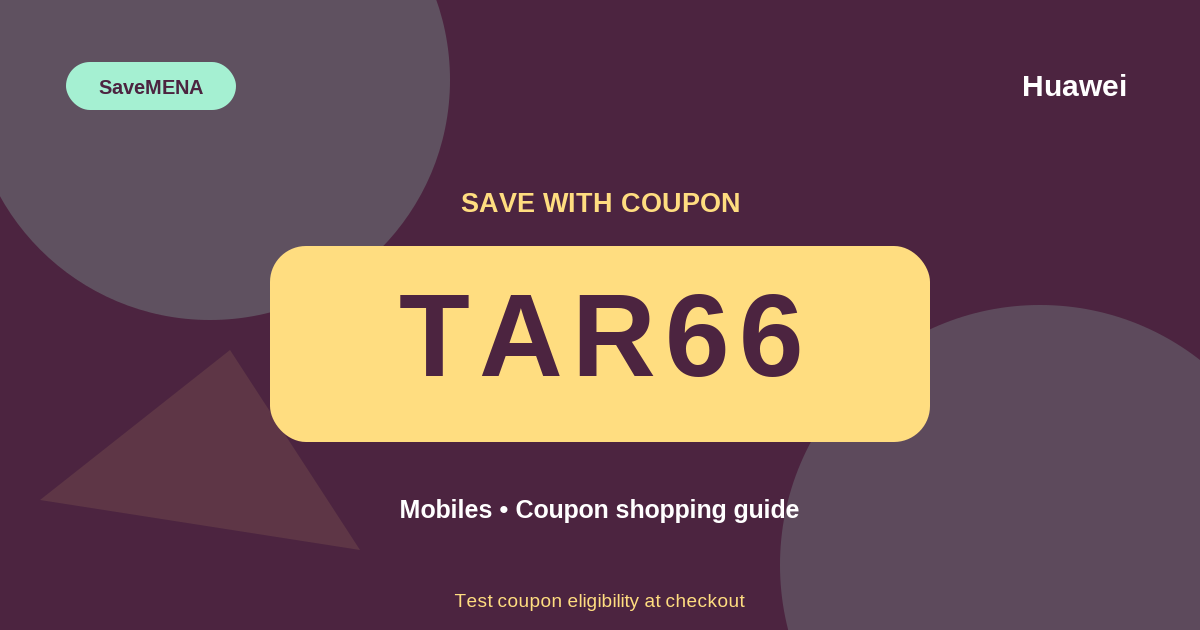
Codes available to try while comparing
These codes are not guaranteed for the article topic or listed brands; test them at checkout and use the live result.
1. Match the Exact Variant Before You Measure
When a Huawei shopper lands on Noon’s mobile page, the first decision is to affirm the desired variant. Look for the explicit technical spec list, including capacity, color, and carrier status. Noon sometimes bundles variants under a generic “Model” heading, so you must confirm the SKU code, which exactly captures the build your thumb. A mismatch here will echo through every comparison and profit calculation, because a 128‑GB unlocked phone costs differently from a 256‑GB locked one. As you navigate, grant yourself a brief sprint in the search bar to double‑check that the SKU shown matches the one you’ve added to your cart. Detailing this tiny, but crucial, step prevents later confusion when you view the price that changed yesterday.
After confirming the SKU, take note of the printed color or finish. Even two models from the same line can differ in original packaging and bundled accessories, which Noon may include in the listed price. If Noon offers a "bundled" variant, you’ll see an upsell for a charger or case—these adjustments affect the final amount. Capture the variant details now; they will serve as a baseline for all subsequent checks. With the exact variant in hand, you’re ready to validate each price point that Noon presents.
2. Watch Out for Recent Price Adjustments on Noon
After you lock down the variant, the next line focuses on the price shift. Noon frequently updates pricing in response to moving market inventory; these shifts can ripple months after launch. To verify the most recent cost, scroll to the price field and ensure it reflects the latest “Live” button’s timestamp, if visible. Even a two‑point change can alter the perceived value of the phone, especially when you’re tight on a budget. Before moving forward, take a screenshot or write down the figure. This practice gives you a reliable anchor when you’ll later compare this price against other sites or savings offers.
The price field may also include a “new price” indicator next to an older one. Pay close attention to whether this new price is a temporary markdown, a permanent shift, or a re‑establishment of the original value. Since Noon rarely posts a clear change log, rely on the display itself. If the upgrade is ambiguous, consider leaving the page open and refresh after a short lag; sometimes the update granularity is a few minutes apart. By confirming the latest hourly price, you set a solid destination for coupon application or price comparison.
3. Benchmark Against Other Noon Listings
The third step is a side‑by‑side price audit. Noon’s search on your phone will often bring up variations of the same Huawei model—sometimes a different color, storage, or carrier. Since people can misinterpret the same phone under different SKUs, tighten your search filters to only show the exact variant you want. Use the “Filter” option to select the capacity, color, and network type you confirmed earlier. When results open, cross‑check the price outcomes. If the same variant appears with a lower price on Noon, this could indicate a second listing by a different seller. In such cases, the latter may hold better return or warranty policies.
During this benchmark, ignore seller badges that say “Verified” or “Gold.” Noon does not guarantee these badges mean the product is genuine or the seller has better support. You should still examine the rating and the number of reviews for each listing, but these metrics alone do not confirm the price is accurate or that the product will match your variant. Here, quantity matters: if a listing throttles an item to a single unit, the final price may include a higher handling fee. Record each price you encounter as a reference for later coupon checks.
4. Assess the Seller’s Track Record
Next, shift focus to the seller. Good seller reviews can reduce your perceived risk, yet poor seller feedback can signal payment issues or counterfeit accessories. Check the seller’s name, read their overall rating, and verify how many completed sales they have. The rating may correlate with the number of five‑star reviews. If the seller has fewer than a dozen reviews, this may indicate a new or niche vendor. Every seller on Noon lists a return policy, but sniff for any language suggesting “no returns after 90 days” or “no restocking.” Track these details and compare experiences from other buyers.
Don’t rely solely on the seller name. Instead, cross‑verify the seller's contact information or any link to an official Huawei channel, if disclosed. This cross‑checking step protects you if a seller is later found to be an imposter or a drop‑shipper. While your focus lens is price re‑checking, this dimension ensures that the re‑checked price reflects a truthy transaction. Keep a quick note of the seller ID or profiles for reference in case you need to dispute a future charge.
5. Verify Technical Insights That Matter
Price changes can coincide with adjustments to the phone’s feature set—battery capacity, camera resolution, or network compatibility. Before placing a hand on the wishlist, confirm that your variant’s features match the technical sheet provided by Noon. When a price changes, it may have been prompted by a firmware update or supply chain tweak that alter performance. Sensor data or camera specs are usually found under a “Technical Details” tab. Make sure the data aligns with the variant you’re tracking.
Whenever you detect an alteration—such as a camera reduction or an updated processor—note how the price was adjusted accordingly. If you need to confirm the stock availability of a particular feature (e.g., 5G support), scroll to the product description or FAQ. These details are crucial for buyers who depend on the phone’s capabilities to justify a higher price. The rechecking lens forces you to align the cost with what the phone actually delivers, rather than a theoretical expectation.
6. Scrutinize Warranty and Return Conditions
With price and variant verified, the final big decision step is to confirm warranty coverage. Noon provides a general 12‑month warranty for each new phone, but check for any specific add‑ons noted in product details. If the product listing includes “Extended Warranty” for an extra fee, decide if that added cost makes sense relative to the price dropped. Copy the terms of the warranty to share with any doubt‑filled associates when they call about service.
Return policies on Noon vary by seller. Some suppliers allow returns within 14 days, while others extend up to 30 days but introduce a restocking fee. Examine the policy carefully to understand the smallest fraction of a return process that can affect the final amount you pay. If the price changed recently, a seller may have adjusted their return fee, so document both the amount and the deadline. Documenting these fine points before checkout reduces the risk of later disputes.
7. Apply TAR66 Coupon at Checkout
Once all verification steps are complete, navigate to the checkout stage. On Noon’s final payment screen, you will see a “Coupon” field. Enter the code TAR66, then hit “Apply.” Checkout will display whether the coupon was accepted or rejected, and the new payable amount will update if successful. It is essential to wait for this screen to confirm the coupon's effectiveness; no prior assurance exists that the coupon will be redeemed.
Because Noon updates its inventory and pricing regularly, a coupon that works yesterday might not work today. Keep in mind the platform’s rules for coupon eligibility: try applying TAR66 only after you confirm that the phone’s current price is still before any clearance threshold. If the coupon does not apply, you can attempt it again after adjusting your cart or contact Noon’s support for clarification. Even if the coupon doesn’t apply, the check confirms what the final amount will be after all automatic taxes and shipping fees.
8. Review the Total Payable Amount Before Finalizing
On the final payment screen, the last review is the total amount due. This includes the confirmed phone price, any applied coupon, applicable taxes, and delivery charges. Read the breakdown carefully; double‑check that it matches the numbers you noted in earlier steps. If there is a discrepancy, such as an unexpected fee or a shift in the listed price since you noted it, you may need to cancel the order or contact Noon’s seller for clarification.
Once you confirm every line item matches your expectations, you can confidently place the order. During this stage, you may also choose alternative payment methods or confirm delivery options heeds your location in the UAE. With a verified variant, a refreshed price, a documented seller, verified warranty, applied coupon, and a final total that fits your budget, you have successfully navigated a rechecking process. Your purchase stands as a careful, data‑driven decision, not a rash impulse.
Related SaveMENA pages
Related articles
Official sources to check
Frequently asked questions
What does the TAR66 coupon do on Noon?
The TAR66 coupon code can be entered at checkout on Noon. At this point, Noon’s system will indicate if it applies and will adjust the price shown if accepted. The outcome depends on current conditions and user eligibility; no guarantee exists that it will always be accepted.
How can I confirm the Huawei variant is the one I want?
Use Noon’s SKU or technical spec list to verify the exact capacity, color, and carrier status. Compare the listing details with the One‑True variant name and check for any attached accessories or bundles that may change the final price.
Will the price I see now reflect what I pay?
The displayed price on Noon’s checkout is the one that leads to your final payable total. After you add the coupon, the figure updates, and this is the amount that will be charged, including any taxes and delivery fees.
What should I do if Noon shows a different price for the same variant?
Check the filter for exact storage, color, and carrier. If two listings display that variant, compare seller ratings, return policies, and any extra goods that might shift the price. Record each price before applying coupon and final checkout.