Anker Computer Accessories on Noon UAE: offer combinations — variant and model checks
When you’re searching for a specific “Noon UAE variant and coupon Anker coupon interaction with visible promotions,” the first step is to confirm the exact model
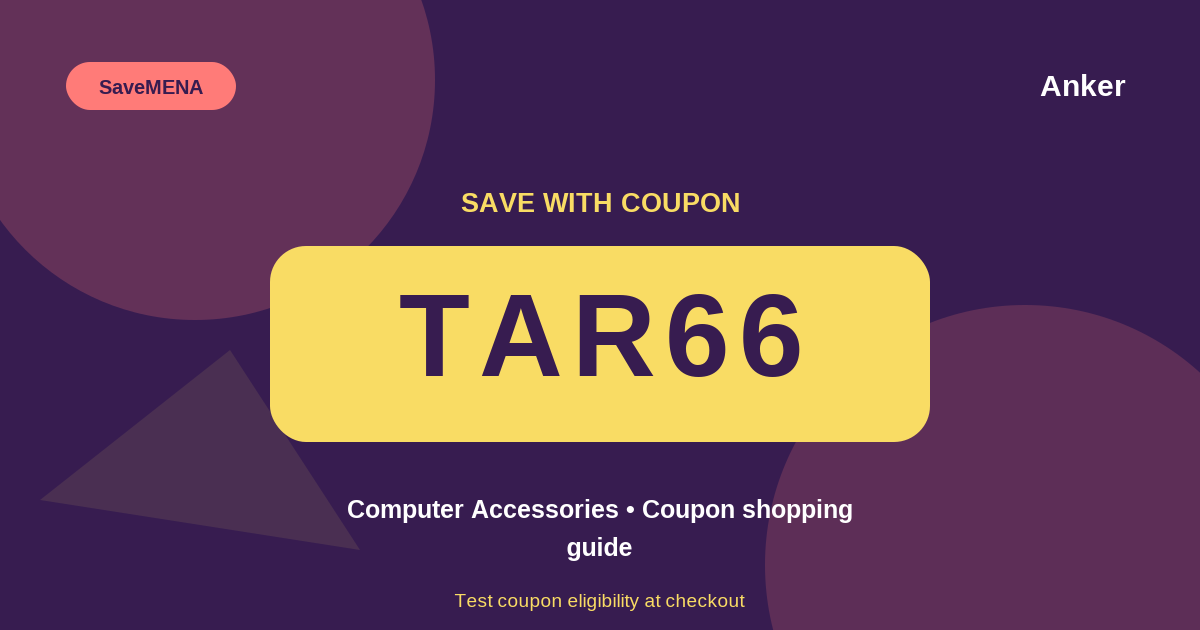
Codes available to try while comparing
These codes are not guaranteed for the article topic or listed brands; test them at checkout and use the live result.
1. Search for the Exact Variant on Noon
Begin by entering the full model name and desired specifications into Noon’s search bar. Pay attention to the spellings of key attributes—such as “USB‑C” versus “USB-C” or “Wattage” differences. The product pages will list each variant in the description and often show a dropdown to select color or capacity. Verify that the variant displayed matches each of these fields before moving to the next seller.
When you reach a product page, scroll to the bottom of the brief description. Noon usually lists the exact SKU or product code in the “Product Details” section. Cross‑check this code with any postal or OEM references to avoid inadvertent purchases of the wrong variant. This confirmation step ensures you are comparing apples to apples throughout your price hunt.
2. Compare Prices Across Multiple Sellers
Noon hosts several sellers for most computer accessories. After locking onto the correct SKU, compile the price list of each seller presenting that variant. View the seller’s completed ratings, number of reviews, and “Shop in Stock” status. These metrics help gauge reliability and inventory availability before finalizing a buy.
When drafting your comparison matrix, keep each seller’s shipping fee and delivery window in sight. Optional sellers may offer “Same‑Day Delivery” with a surcharge; others may have free shipping thresholds that are different. Align these metrics with your budget and time constraints to see which seller delivers the best overall value.
3. Examine Seller Reputation and Return Policies
Before finalizing a deal, evaluate each seller’s return policy. Noon will list the return window and whether returns are free or restocking‑fee‑included. A longer return window and fee‑free returns usually indicate a more buyer‑friendly seller.
Additionally, inspect the seller’s overall rating and the breakdown of positive feedback. Some sellers comprise an “Easy Returns” badge or a “Buyer Protection” seal. These visual cues can help you decide which seller is most trustworthy, especially if the item you consider includes complex electronics like Anker accessories.
4. Spot Visible Promotions on the Product Page
Noon often showcases experiment‑based promotions directly on the product page—like “Limited‑time the discount shown at checkout OFF” or “Buy One Get One.” These are automatically applied when you add the item to the cart, so they stay visible above the price box.
Contrastively, UN‑Visa or coupon codes need to be entered at checkout. To see if a visible promotion is active, look for a reduced price or a price icon with a discount label. If you want to apply the TAR66 coupon, you’ll need to add the exact variant to your cart and then proceed to the promotion section before paying.
5. Verify Coupon Eligibility on the Cart Page
After adding your chosen variant to the cart, check if the TAR66 code appears among the discount options. Noon typically lets you enter a code in a dedicated field, and a small banner confirms whether the entry is valid.
Because some sellers restrict coupon applicability, look for a note that says “Coupon applies to this item only.” If the code isn’t accepted, the banner will explain the reason—often it’s due to seller restriction or minimum spend. Double‑checking here saves you from a potential disappointment at the checkout stage.
6. Confirm Coupon Application at Checkout
Proceed to checkout and input “TAR66” in the coupon field. Upon pressing “Apply,” the page should refresh with the new subtotal. Look closely at the “Summary” section to confirm that the discount reduces the amount you pay.
If the discount indicator does not change, that signals a compatibility mismatch. To troubleshoot, verify you are on the correct retailer’s checkout page and that the product has not shifted to a different variant. Manually refreshing the page after applying the code can also force the system to register the promotion.
7. Factor in Shipping Fees and Delivery Times
Even if the discount brings the price down, shipping costs might inflate the final out‑of‑pocket amount. Noon lists the delivery fee alongside the cart subtotal—ensure this fee aligns with your expectations or pay‑by‑sight plan.
Spot the “Estimated Delivery” date just below the fee. If you require the accessory quickly for an event, a free but delayed delivery may not be ideal. Opt for a higher shipping fee if it guarantees earlier arrival, especially during peak holiday periods.
8. Review Post‑Purchase Options and Warranty
After clicking “Place Order,” Noon will display a final confirmation page outlining the total, any applied promotions, and an estimated delivery window. Read these details attentively before you submit your payment.
Post‑purchase, you can track the order via Noon’s order history. Review the warranty terms that appear with the receipt—many Anker accessories come with manufacturer warranties that must be claimed before a certain period. Knowing the fallback options keeps you prepared if the product has issues.
Related SaveMENA pages
Related articles
Official sources to check
Frequently asked questions
What happens if the TAR66 coupon does not apply?
When the coupon does not apply, the cart will simply show the original price without a discount banner. This indicates that the specific seller or variant does not accept the coupon, and you’ll need to either find another listing that does or forgo the discount.
Can I combine the TAR66 coupon with a visible promotion?
Yes, Noon usually supports stacking virtual coupons with visible promotions. The visible discount will first reduce the price; then the coupon will apply on the updated subtotal during checkout.
What if the product shows a different variant after adding to cart?
Sometimes a bundle or related accessory appears in the cart. Double‑check the product details such as SKU, color, or capacity in the cart line item. If incorrect, remove it and add the intended variant again.
Are shipping fees included when I apply the coupon?
Shipping fees are calculated after coupon discounts are applied. The final checkout page will display the subtotal, applicable discounts, shipping, and the total amount due before payment.