School & Stationery on Noon UAE: offer combinations — variant and model checks
Noon UAE variant and coupon School & Stationery coupon interaction with visible promotions: Choosing a Noon UAE variant for school and stationery supplies can seem
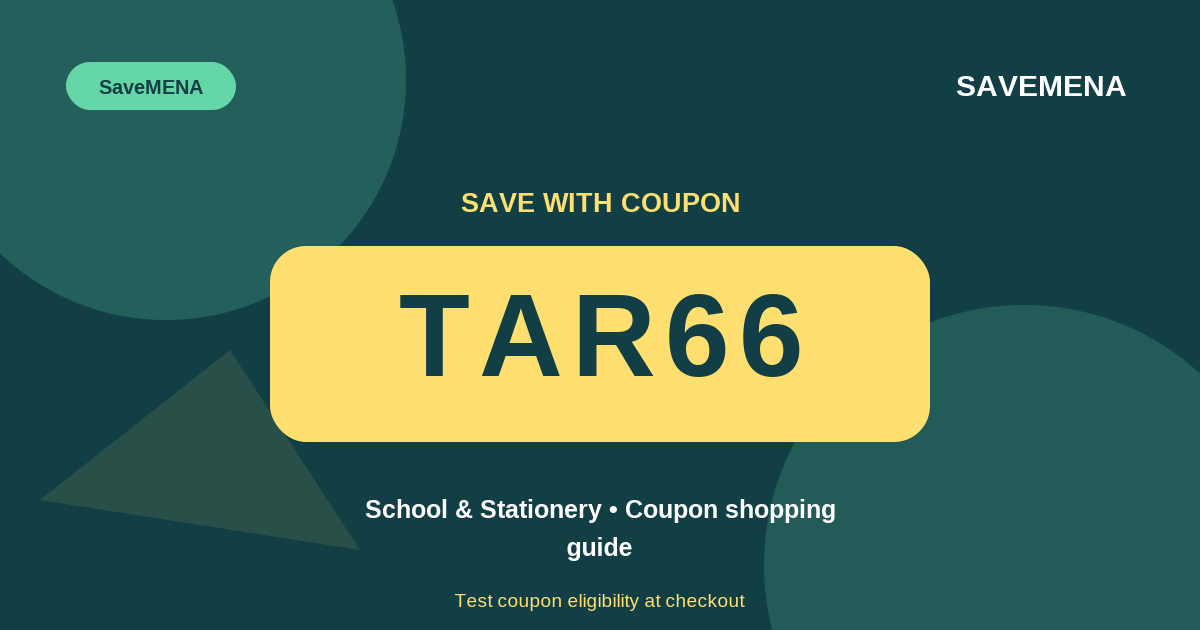
Codes available to try while comparing
These codes are not guaranteed for the article topic or listed brands; test them at checkout and use the live result.
1. Match the Variant Before Adding to Cart
Start by ensuring the Noon UAE variant of the stationery item matches the exact name and description you need. A variant can differ in size, color, or paper type, and only the correct one will be eligible for the TAR66 coupon. Scan the product listing for variant buttons on the page; click the one that matches your specification exactly, before you proceed to the shopping bag.
After selecting the right variant, double‑check that the product image, title, and product details on the page are consistent. This prevents later confusion when the cashier screen pulls a slightly different SKU into the cart, which could cause the coupon to fail. Verifying consistency now saves time later in the checkout process.
2. Verify Seller Information and Stock Availability
Once the variant is chosen, glance at the seller’s name and the “Sold by” tag. While you won’t rely on any badge for authenticity, knowing whether the seller is a brand partner or a third‑party retailer helps you anticipate how the coupon may behave. Some platforms apply coupons only to certain seller categories, and this can be reflected on the product page.
Count the available stock indicator—if the listing displays “In Stock” with a number—before moving forward. Low stock can change at any moment; purchasing now locks the variant into the cart, giving the coupon a chance to register against the correct item. Keeping the seller and stock visible on the screen before checkout keeps the process transparent.
3. Add the Correct Quantity and Stick to the Cart
If you’re buying more than one envelope or set of notebooks, set the quantity in the product page before clicking “Add to Cart.” A larger quantity can sometimes allow the coupon to apply at a different tier—especially if the coupon code triggers a freebie or a price reduction after a certain threshold.
Once you’ve committed the quantity, check the cart snapshot. Look for a line item that lists all chosen variants, quantities, and the current price per unit. This snapshot is your first opportunity to confirm that the correct SKU is still in your basket, setting the stage for the coupon to apply without surprises later.
4. Examine Visible Promotions Before Applying the Coupon
Many Noon listings showcase visible promotions—such as “the discount shown at checkout off” or “Buy One Get One Free”—near the price field. These promotions can stack with or replace a coupon, depending on the platform’s rules. Skimming the promotional banner before you hit “Apply Coupon” gives you clarity on the base discount that precedes the TAR66 code.
If a promotion is displayed by the seller, note whether it applies to the entire cart or only the specific item. This information is usually found in a small note beside the sale price. By checking these details now, you can anticipate whether the TAR66 coupon will reduce the already discounted price or if it will get denied because a mandatory promotion is already active.
5. Insert the TAR66 Code at the Checkout Prompt
When you reach the “Shopping Bag” page, navigate to the coupon entry field. Enter TAR66 exactly as given; casing matters in many systems, so use uppercase letters. This step is pivotal—entering the code too early or outside the designated area can cause it to be ignored.
After typing the code, click the apply button or its equivalent. Avoid refreshing the page before checking the coupon status; some sites need a full reload to register the discount. Watching the screen for a confirmation or the updated price will indicate if the TAR66 code was recognized by the system.
6. Compare the Price Before and After the Coupon
Once the coupon is applied, the price field should instantly update to reflect the discount. Verify that the new price is displayed in the same format as the original, and that the line item now shows a “TAR66” tag or note. If the price remains unchanged, the coupon did not process; you will need to revisit earlier steps.
Cross‑check the subtotal on the checkout page with the cart page’s subtotal. Only when they match, including any coupon‑associated reduction, can you proceed. This comparison ensures that no hidden fees or discrepant totals sneak in at the last moment.
7. Scrutinize Shipping Fees in the Final Total
After validating the item price, look at the shipping cost displayed in the checkout summary. Some coupon systems exclude shipping from the discount calculation, meaning the free shipping perk (if any) will still apply. Confirm that the shipping fee entry shows any promotion banner or note about free delivery.
If shipping is listed as part of the total, ensure that the displayed amount does not fluctuate when you move to the payment screen. A sudden change could mean a shipping fee was added after the coupon was applied, which would affect the final payable total.
8. Complete Payment and Record the Confirmation
Proceed to the payment step once all price elements align. Choose your preferred payment method—credit card, debit card, or wallet—then confirm the total amount shown. The final screen will display the final payable total, inclusive of any applied coupons and shipping.
After the transaction completes, save the order confirmation or screenshot. This record is indispensable if you ever need to reconcile the coupon application with the transaction receipt, especially if the email confirmation shows a different total. Keeping this record clarifies any potential dispute about discounts or fees.
Related SaveMENA pages
Related articles
Official sources to check
Frequently asked questions
What happens if the TAR66 coupon fails to apply?
When a coupon fails, the checkout screen usually keeps the original price unchanged. Verify each step—variant, seller, quantity, visible promotions, and the exact code entry. If it still fails, contact the platform’s support to understand why the coupon may not be accepted.
Can a visible promotion override the TAR66 coupon?
Visible promotions and coupon codes can interact differently depending on platform rules. Often, a mandatory promotion takes precedence, and the coupon may not be added to the price. Checking the promotion notes on both the product and cart pages helps determine which discount applies.
Does the SKU selection affect the coupon’s eligibility?
Yes. Coupons may only work on specific SKUs or variants. Ensure the Noon UAE variant you choose matches the exact SKU you intend to buy; otherwise, the coupon might not apply even if all other steps are correct.
Will shipping fees change after applying the coupon?
Shipping fees typically remain static after the coupon is applied, but some platforms adjust shipping based on the new subtotal. Always re‑check the shipping line on the payment page to confirm it is still the same amount stated earlier.