Tablets on Noon UAE: offer combinations — variant and model checks
Noon UAE variant and coupon Tablets coupon interaction with visible promotions: If you’re searching for the exact NoON UAE variant of a tablet and want to see how a
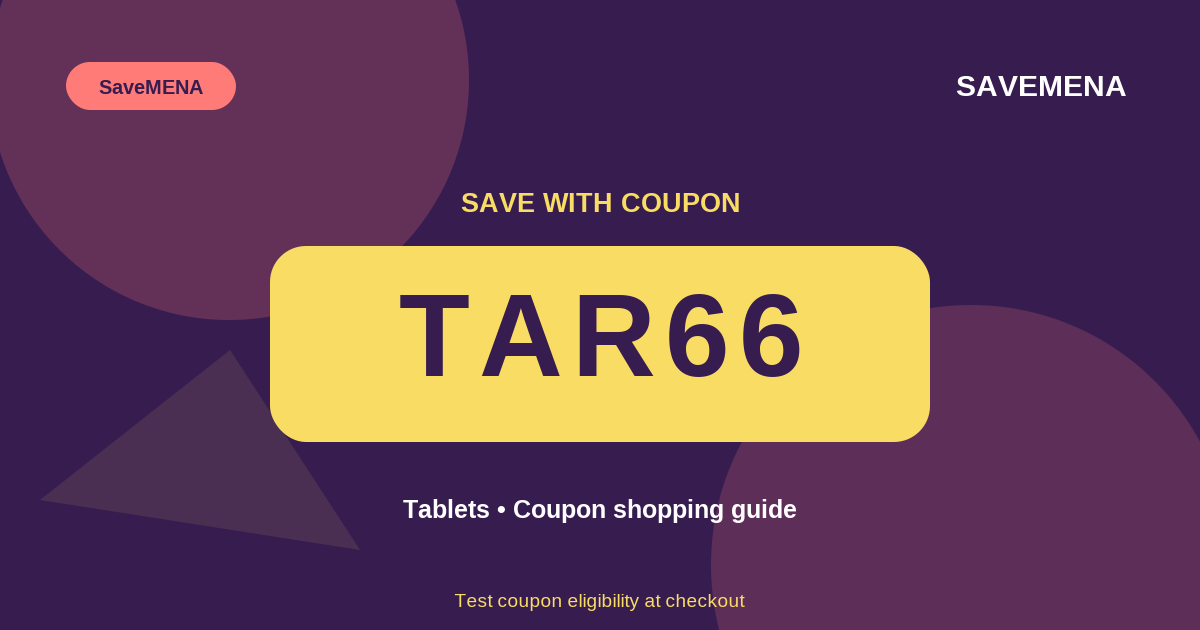
Codes available to try while comparing
These codes are not guaranteed for the article topic or listed brands; test them at checkout and use the live result.
1. Identify the Exact Tablet Variant on NoON UAE
Begin by visiting NoON’s UAE website or app and prompt the search field with the item name such as “tablet.” Once the results load, filter by storage or RAM options that match your intended variant. Pay attention to the listed capabilities under each result; NoON’s listings typically include a detailed description, letting you confirm the exact build you want. Ensure you do not inadvertently select a similar model that differs in display size or processor, as this will affect the promotions that apply later.
After narrowing the search, click on the product listing to open its dedicated page. Here a sidebar or top banner often shows active promotions, including discount percentages, bundle offers, or free accessories. Align these on‑site promotions with the specific variant’s details—an auto‑upgrade or a storage trade‑in is only valid for the precise model. The variant page is your reference point for every subsequent step.
2. Compare Visible Promotions From Multiple Sellers
On the tablet’s product page, scroll to the “Available Sellers” section. Many listings will appear in a ranked list, each accompanied by a headline promotion such as “the discount shown at checkout off” or “Free delivery.” Examine each seller’s promotional banner; note whether the discount is non‑additive (applies against the listed price) or stackable with a coupon. Visible promotions are identical to what you’ll see in the cart, so take a screenshot for your own record if you prefer.
While noting these offers, consider the seller’s display rating. Sellers with a high rating often provide more reliable service but might show a higher price with no discount. Balance the potential savings with factors such as shipping time and seller reputation. This comparison will guide your decision when you eventually add the item to the cart.
3. Verify Seller Shipping Fees and Delivery Slots
Each seller listing on NoON lists a delivery fee and expected shipping window. Look for the “Delivery Options” section; it will reveal whether the fee is included in the price or added at checkout. A visible discount banner does not usually alter shipping charges, but you must confirm the fee directly on the seller’s page. If a seller advertises “free delivery,” confirm the promo is still active by hovering over the graphical tag or checking the CTA label.
When the seller’s page shows a separate shipping fee, note whether it is percentage‑based or a flat rate. The coupon you will try may or may not apply to these charges, depending on the seller’s qualification. Read the seller’s delivery terms in the fine‑print, which is usually found in a clickable link that opens a detailed description of shipping rules.
4. Add the Exact Variant to Cart While Checking Visible Promotions
Once you have the correct variant and chosen seller, click the “Add to Cart” button. At this stage, the cart sidebar must reflect any visible promotion banner you saw earlier. The product’s name, seller, and discount line should appear in the cart, indicating the price is already adjusted for the seller’s offer.
If the cart shows a “No discount available” message even though the seller page advertised a promotion, double‑check that you selected the same seller. Some sellers host multiple variants under a single listing, and the cart may default to a different configuration if you do not select the desired storage or color. Verify that the product description line in the cart matches the variant you confirmed previously.
5. Enter the TAR66 Coupon and Observe Its Interaction With Promotions
Navigate to the cart page, locate the coupon input field and type “TAR66.” After submitting the code, the system will attempt to calculate the discount based on the coupon’s eligibility. The resulting cart total should display an updated amount, usually with a “Savings” line that indicates the full coupon value applied.
Pay close attention to the interaction with the visible promotion banner. If the coupon merges seamlessly, the two discounts may combine, lowering the final price further. If the coupon is rejected or overridden by the existing promotion, the system will display a message indicating why the coupon could not be applied. Use this feedback to decide whether to accept the current price or search for another seller offering a complementary coupon.
6. Confirm the Final Payable Total and Check for Additional Fees
Review the “Summary” section on the cart page to ensure that all fees are accurately displayed. This area usually lists the item price, seller promotions, coupon savings, shipping fees, and any applicable tax. The final payable total at the bottom of the section is the figure you’ll actually pay.
Before proceeding, ensure the coupon is listed as a deduction, even if the discount value is not explicitly shown. The lack of a numeric discount does not invalidate the coupon’s effect. If the coupon appears to have no effect on the total, double‑check that you entered the code correctly and that the same seller offers the coupon, as some sellers restrict the coupon to specific product categories.
7. Select Payment Method and Verify Coupon Durability
When you move to the “Checkout” stage, you’ll need to pick a payment method such as credit card, debit card, or digital wallet. NoON’s payment page will display the final price again; re‑confirm that the coupon deduction remains present throughout this step. Certain payment methods may prompt additional service fees, which should appear after the payment selection and before the final confirmation button.
At this juncture, the coupon’s durability is confirmed the instant the “Place Order” button becomes active. The system records all applied discounts at this point. If the coupon has expired or is not applicable, you’ll see a warning notice, and the final price will omit the coupon deduction. This final confirmation is the last verification before the order is submitted.
8. Final Order Placement and Post‑Purchase Confirmation
Click “Place Order” once you have double‑checked the final payable amount. After submission, NoON will redirect you to an order summary page showing the order status, shipping address, selected seller, and the historic price with all applied promotions. This page serves as a receipt, confirming that the coupon interaction has been recorded in the system.
To ensure transparency, retain a screenshot or email confirmation of the order summary. If you suspect the coupon was not applied correctly, contact NoON customer support instantly with your order number, as the system will always provide a tracing record of the applied discounts. Storing this proof will help resolve any discrepancy that may arise before the product leaves the seller’s warehouse.
Related SaveMENA pages
Related articles
Official sources to check
Frequently asked questions
Will TAR66 combine with all NoON promotions automatically?
NoON’s system determines if a coupon can be combined with existing promotions. The cart will immediately indicate whether the coupon is accepted or rejected, so observe the cart’s feedback after applying TAR66.
Can I use TAR66 on a different tablet variant after adding to cart?
The coupon is applied to the exact variant you have in the cart. Changing the model will reset the coupon status, prompting a re‑application check.
Does a shipping fee reduce the effectiveness of TAR66?
Shipping fees are calculated after all promotions and coupons like TAR66 are applied. Therefore, the coupon’s value remains unchanged even if the shipping fee is non‑zero.
Will I receive a discount on the final payment if TAR66 is not applied?
NoON shows a clear indication at each step. If TAR66 isn’t applied, the final price will reflect only the visible promotion from the chosen seller.