Samsung Tablets on Noon UAE: size and quantity — variant and model checks
If you’re hunting for the precise “Noon UAE variant and coupon Tablets Samsung quantity and size” before locking in a purchase, this guide is your compass.
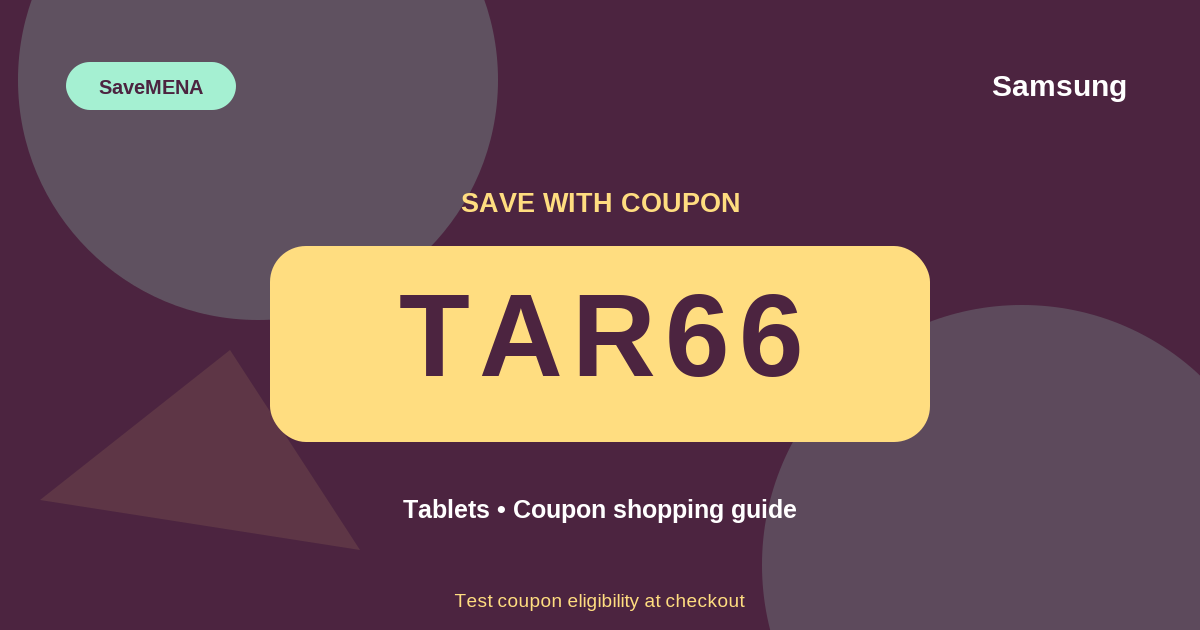
Codes available to try while comparing
These codes are not guaranteed for the article topic or listed brands; test them at checkout and use the live result.
Verify the Exact Tablet Variant
Start at the product title and detailed description on Noon UAE. The variant title should list the exact model, launch year, and distinguishing features such as processor chip or special edition. For Samsung, a common format might look like “Galaxy Tab S7 – 11.0” or “Galaxy Tab A – 8.6”. Skipping this step risks ending up with a different screen size or hardware altogether.
Cross‑check key identifiers like model number or SKU, typically found in the product specifications section. Some listings aggregate multiple variants under one link; ensure you view the correct sub‑listing. If you find any discrepancy, use receiver filter or contact seller clarification before adding to cart.
Confirm the Recommended Quantity
Quantity is a critical part of your decision lens. On Noon UAE, the “Quantity” field defaults to one but allows the shopper to adjust. Double‑check the quantity input against your needs—whether buying a single tablet for personal use or a bundle for a classroom. A wrong quantity entry can lead to missed savings or unwanted shipping fees.
When the item is available in bulk or in a pre‑packaged bundle, read the seller’s description for group pricing. Some packages bundle accessories but list the tablet as a single unit. Verify whether the bundle includes additional chargers, cases or stands by reviewing the bundle details before finalizing.
Inspect the Screen Size and Resolution
Screen size and resolution dictate the tablet’s usability for multitasking and media consumption. In the Noon UAE variant description, size is usually given in inches, e.g., “10.4 in” or “8.4 in”. Samsung’s models may vary from 7 inches to 12.6 inches; knowing the exact size is essential when you prioritize portability versus display area.
Resolution—measured in pixels—further refines the visual experience. Look for terms like “Full HD+ (1920×1200)” or “Quad HD+ (2560×1600)”. Higher resolution tablets offer sharper images, important for graphic designers or reading PDFs. The resolution spec will normally appear under the “Technical Details” tab.
Evaluate the Battery Life and Power
Battery capacity can be a deciding factor, especially if you travel frequently or use the tablet in cafés and offices. Samsung tablets often list battery life in watt‑hours (Wh). While Noon UAE may not display the capacity, it usually notes approximate usage, such as “up to 10 hours of video playback”. Make sure this aligns with your daily expectations.
Also check if the tablet supports fast charging or a USB‑C quick‑charge standard. The charger specs are listed in the accessories section. If you plan to use the tablet on the go, a fast‑charge option reduces downtime considerably.
Check the Memory and Storage Options
Samsung tablets typically offer a range of RAM and internal storage combinations. On Noon UAE, the “RAM” and “Storage” fields appear in the product overview. Decide if you need 4 GB, 6 GB, or more, and whether the storage is expandable via microSD.
When opting for higher capacity, consider the practical workload. A 128 GB tablet will suffice for casual users; creatives might need 256 GB or more. Note whether the listed storage is pre‑installed or if you must purchase a separate memory card to reach your intended size.
Assess the Connectivity and Ports
Connectivity determines where you can use the tablet and what peripherals you can attach. Look for “Wi‑Fi 6”, “Bluetooth 5.0”, or “5G (optional)” in the specifications. Fans often ask whether a model supports dual‑SIM or eSIM for a 5G variant, so verify that in the detail panel.
Ports are equally important when you need a stylus or docking station. Samsung tablets may feature a single USB‑C port or two ports, and some include an SD card reader. Confirm the types of ports available to match your desired workflow.
Weight, Dimensions, and Portability
Weight and physical dimensions influence the tablet’s ease of transport. The Noon UAE page lists dimensions in millimeters and weight in grams. A lighter tablet (under 350 g) is convenient for commuting, whereas a heavier model offers more robust build quality.
In addition, position the dimensions against your bag size. A tablet measuring 250 mm wide will fit comfortably in a standard laptop bag. Portability is also tied to battery life; lighter devices often have shorter battery endurance, so cross‑check those specs.
Applying the TAR66 Coupon and Final Checkout
Once you’ve verified variant, quantity, size, and features, add the tablet to your cart on Noon UAE. At the checkout page, there is a “Coupon Code” field. Enter TAR66 there to see if it applies. Since we cannot guarantee the coupon availability, the system will confirm whether the code is accepted at that moment.
After applying the coupon, review the final price, shipping fees, and any applicable taxes. Make sure the quantity field reflects your chosen number of units and that the “Size” matches the selected variant. If all appears correct, proceed to payment to complete the purchase.
Related SaveMENA pages
Related articles
Official sources to check
Frequently asked questions
Can I use the TAR66 coupon on any Samsung tablet variant?
Noon UAE shows on the checkout page whether the coupon applies to the selected item. The availability of the code depends on the current promotion. If it isn’t accepted, you may still proceed without the discount.
Will the quantity I set in the cart affect my shipping cost?
Yes, Noon UAE’s shipping fee calculation includes the number of items. Larger quantities might qualify for free or reduced shipping if a discount rule is in effect at checkout.
How can I confirm the tablet’s screen size before purchasing?
Check the product title and specifications on the Noon UAE listing. Samsung’s tablet sizes are always listed in inches within the display section. If you need further confirmation, contact the seller’s customer support before adding to cart.
Are there any hidden fees I should expect for a Samsung tablet on Noon UAE?
After adding items to the cart, the checkout summary displays all applicable fees, including shipping and optional insurance. Verify the final amount to ensure no unexpected charges appear before completing the payment.