ASUS Gaming on Noon UAE: review signals — variant and model checks
Noon UAE variant and coupon Gaming ASUS visible product and seller review signals: In your quest for the ideal gaming setup, choosing the exact Noon UAE variant
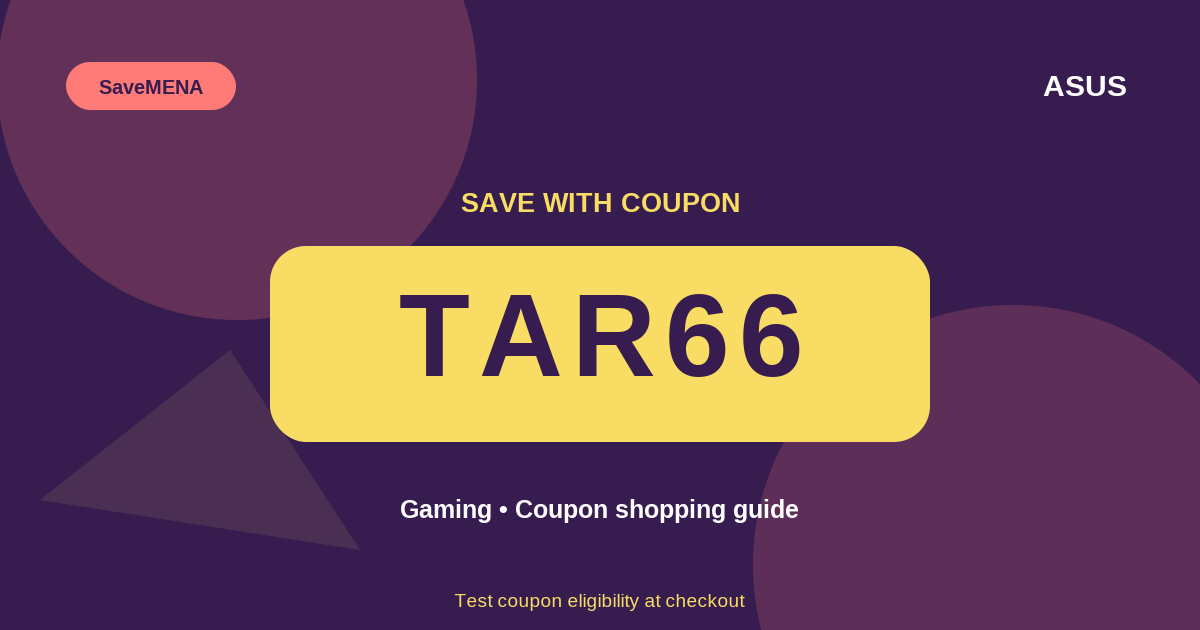
Codes available to try while comparing
These codes are not guaranteed for the article topic or listed brands; test them at checkout and use the live result.
1. Matching the Exact Noon UAE Variant for Gaming
To begin, locate your desired ASUS gaming product on Noon and note the precise model number displayed right beside the title. These identifiers often contain hints about processor type, graphics card, and memory size—critical elements for a gaming rig. Enter the model number into Noon’s search bar, ensuring the result list filters to the exact variant you need. Checking the product description for the same model number confirms you’re not pulling in a variant that lacks upgraded hardware or has different firmware suited for other regions.
After validating the model number, verify the variant’s country label. Look for the “UAE” tag which indicates the unit is condition‑certified for UAE retailers, ensuring that its warranty coverage and support channels are set for local consumers. This step guarantees that no regional restrictions will affect the performance or support of your gaming device, mitigating future headaches that can arise from mismatched variants.
2. Confirming ASUS Product Visibility on Noon
Visibility on Noon reflects how prominently a product appears in search results and on the storefront. Check for the “Prime” or “Verified” badges next to the ASUS gaming title, which denote approved listings where sellers have met Noon’s standards for product authenticity and quality presentation. A visible ASUS product is more likely to carry detailed specifications, high‑resolution images, and real‑time inventory updates, aiding in informed decision‑making.
When you view the product’s visibility, confirm that the listing contains up‑to‑date screenshots of the device in use, performance benchmarks, and clear information about included accessories. The richer the visibility, the easier it is for you to assess whether the ASUS gaming variant meets your throughput, resolution, and latency expectations before proceeding to checkout.
3. Interpreting Seller Review Signals on Noon
Sellers on Noon report customer feedback through star ratings and textual reviews. Examine the overall seller rating—typically displayed as a percentage or star average—and assess its range. A high rating close to the maximum often indicates consistent fulfillment and quality handling, which matters for high-value gaming devices that require careful shipping.
Next, review individual comments that mention packaging, delivery time, and post‑purchase support. Look for patterns such as repeated praise for accurate order fulfillment or recurring complaints about discrepancies. Reflecting on these signals helps you anticipate the seller’s reliability, especially for ASUS gaming products that might need warranty support or component replacements.
4. Applying the TAR66 Coupon in Noon’s Cart
When you’ve found the correct ASUS variant, add it to your cart and proceed to the payment step. In the “Apply Coupon” field, enter TAR66 exactly as written, including any capitalization nuances. Noon’s system will verify eligibility against the cart total, item category, and seller criteria at that moment. The activation result appears below the field, indicating whether the coupon is accepted.
Keep in mind that coupon applicability is positional—no guarantee that it will apply during every session or transaction. If the coupon isn’t accepted, review the cart contents for any excluded items or check whether the seller meets prerequisite conditions, such as a verified seller badge, which might influence acceptance.
5. Evaluating Delivery Options and Fees for Gaming Items
Gaming equipment can be heavy or require special handling. Noon displays the available delivery methods, each with estimated times and nominal fees. Confirm that the chosen method supports oversized parcels or includes insurance for high-value items. The delivery fee is presented before you finalize payment, and it remains part of the final price.
When you reach the summary page, double‑check the listed delivery fee alongside the product price and any coupons applied. A discrepancy in the expected versus displayed fees signals potential miscalculations, which should be clarified before moving forward with payment to avoid post‑purchase surprise charges.
6. Exploring Payment Method Variations on Noon UAE
Noon supports multiple payment options—including credit/debit cards, wallet, and cash on delivery in certain regions. Selecting a method that offers the highest security for high‑value purchases, such as a credit card with buyer protection, can mitigate risks associated with gaming parts. The payment gateway will show the associated fee, if any, for each option.
Verify that your chosen payment method is within your benefit bracket for potential refunds or dispute resolution. For instance, some card payments support automatic refunds if the delivered ASUS product doesn’t match the listed specifications, whereas wallet payments may not. Confirming this beforehand ensures that your purchase remains protected.
7. Finalizing the Checkout and Confirming the Total Price
At checkout, Noon compiles a final list containing the product, coupon discount (if accepted), delivery fee, and any applicable taxes. This final total is shown in AED on the last step before payment confirmation. It is essential to scan each item to verify that the total matches your expectations, especially after applying a coupon code that might alter the discount amount.
Once you click “Place Order,” Noon stores the payable amount in your order confirmation. To ensure no later discrepancies, print or save the confirmation page, which lists each component of your cost. If the payable amount differs from what was on your preview, contact Noon’s support before the order is marked as paid.
8. Tracking Your Shipping and Handling Post‑Purchase
After placing the order, Noon’s tracking feature provides a real‑time status of your ASUS gaming device shipment. By inputting the order number, you can view the current location, expected delivery window, and any expressed delivery notes, such as “handle with care” for fragile items.
Should any issue arise—say a discrepancy in the delivered ASUS variant or a delay—contact the seller directly through Noon’s messaging system. Sellers are required to respond within a set timeframe, and their handling of your query can influence the resolution of delivery or return processes.
Related SaveMENA pages
Related articles
Official sources to check
Frequently asked questions
How do I confirm the Noon UAE variant for a gaming product?
Check the model number in the product title, verify the “UAE” tag and match the exact specifications listed. Use the search bar to filter to the same catalog entry and confirm details in the description.
Will the TAR66 coupon automatically apply to all ASUS gaming purchases on Noon?
No, the coupon’s applicability must be verified during checkout. Ensure the cart contains eligible items and that the seller meets any required conditions for applying the code.
What should I do if the final price after checkout differs from the amount shown earlier?
Check the order confirmation page; if there’s a discrepancy, contact Noon support immediately before the payment is processed to correct miscalculations.
Can I cancel my ASUS gaming order after placing it on Noon?
Orders can be canceled depending on the seller’s and Noon’s cancellation policy, which is visible in the order details. Reach out to the seller or Noon support as soon as possible to request cancellation.