HP Laptops on Noon UAE: review signals — variant and model checks
Noon UAE variant and coupon Laptops HP visible product and seller review signals: Finding the perfect HP laptop on Noon UAE can feel like searching for a needle in
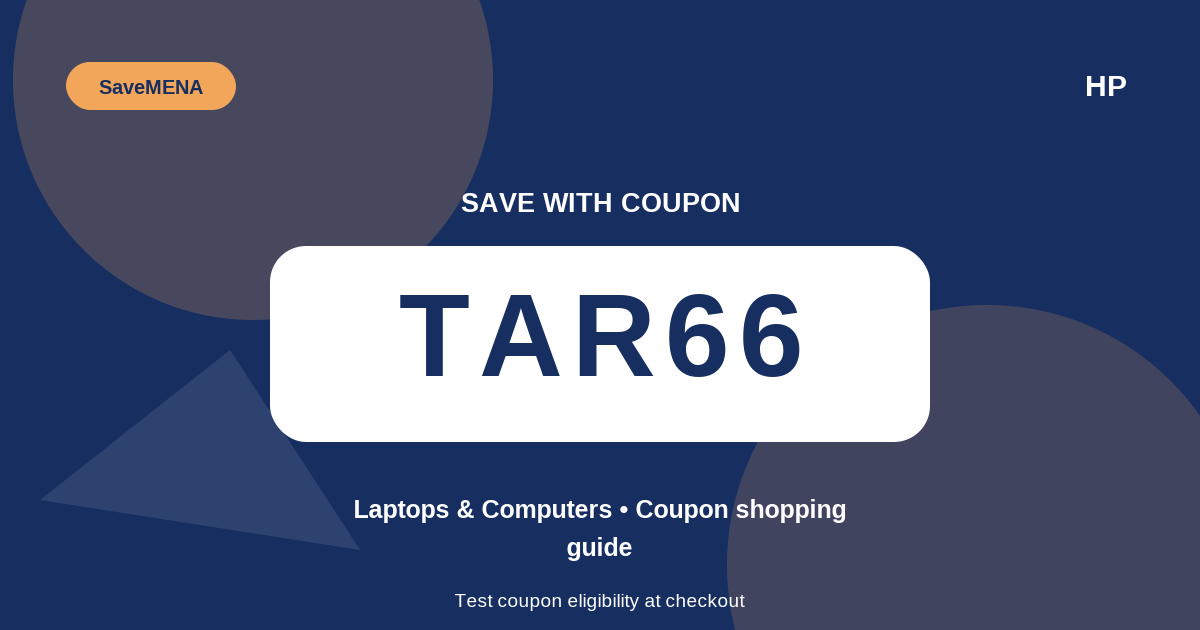
Codes available to try while comparing
These codes are not guaranteed for the article topic or listed brands; test them at checkout and use the live result.
1. Understand the Variant Match Before the Price Hunt
Every laptop listing on Noon UAE, including the HP line, offers a portfolio of variants—display size, processor type, memory, storage, and even battery life. Your first task is to list the exact specifications you need, such as a 15.6‑inch FHD display, Intel Core i7, 16 GB RAM, and 512 GB SSD. Use the site’s filter tools to narrow by those parameters, then cross‑check the result with the product description to confirm the handwriting. The variants are often labeled distinctly; double‑checking the model string (for example, “HP Pavilion 15‑IGX000” vs. “HP Pavilion 15‑IGX001”) guarantees you’re buying the precise configuration you want.
Once the variant is pinned down, it becomes the anchor for all subsequent price comparison. Without a confirmed model, comparing headlines or "price alerts" becomes meaningless, potentially leading you to a different SKU that lacks the desired performance or support. By locking the variant early, you also avoid the annoyance of discovering missing components or compatibility issues after payment, a common pitfall in online laptop shopping.
2. Use Noon UAE’s Product Detail Page to Verify the Specifications
Navigate to the chosen HP laptop’s product page on Noon UAE. Scroll through the “Specifications” tab to confirm processor speed, RAM, screen resolution, and storage type. Detail sections typically list the exact metric every vendor requires for consumers. If the page lacks a clear specifications table, it may indicate a generic listing, raising suspicions about the authenticity of the variant present in your cart. Check the product slug for unique identifiers that match your variant list.
While examining the details, also look for the “Dimensions and Weight” section and the battery life claim. These verify whether the physical attributes match the model you expect. A mismatch—such as a heavier weight or smaller screen—can happen in bulk listings that pull generic data. If any spec diverges from your recorded variant, double‑check the model number or return to the filter view. Only after full alignment should you proceed to the caching of prices.
3. Scrutinize Seller Ratings and Review Signals as Your Credibility Compass
Seller review signals on Noon UAE—the star rating, number of transactions, and customer comments—serve as a vital gauge of trustworthiness. Look for sellers with a high rating (4+ stars) combined with a substantial review count. This combination suggests that buyers have repeatedly engaged with the seller and had satisfactory experiences. Clearance from multiple independent buyers is a good hint that the HP variant has proven reliable.
Additionally, read the comments that mention after‑purchase support or return ease. Sellers who offer clear warranty handling, transparent return clauses, or responsive customer service are more likely to back up the product with genuine warranty coverage. Don’t rely solely on the star rating; the qualitative content in reviews often highlights whether the seller delivered the exact variant or substituted a lower‑spec copy. A healthy mix of positive experiences and moderate volume of reviews typically reflects an established seller on Noon UAE.
4. Compare Prices Across Noon UAE Vendor Listings with Attention to Variant Integrity
When different HP laptop variants appear in the Noon UAE search results, price can fluctuate dramatically. However, only price was a poor yardstick if variants differ. Map each listing’s price to its verified specification set from Section 2. Look for identical processor models and memory capacities; if they match, you can legitimately compare them. If a listing claims a higher price but lacks the same storage or graphics card, treat it as a different product.
Use the “Compare” feature if available, but remember it only lists general variants. Cross‑reference the comparison table with your verified spec list to confirm they align. Paradoxically, the lowest price may come from a less reliable seller or a variant with missing components. Prioritize the same specification and a trustworthy seller over a marginally lower price tag, as upfront saving rarely justifies subsequent repair or replacement costs.
5. Test the “TAR66” Coupon During Checkout for Applicability
The “TAR66” coupon code is available for UAE shoppers buying HP laptops on Noon, yet it is not guaranteed for every purchase. At checkout, after adding your verified HP variant to the cart and selecting the preferred seller, enter the coupon code in the designated field. You will see whether it applies or remains inactive. If it activates, the discount is shown next to the subtotal; if it fails, the screen will display a friendly explanatory note or remaining eligibility criteria.
Keep in mind that coupon eligibility may depend on factors such as cart amount, payment method, or an app-related condition that must be verified at checkout status. The coupon does not alter the variant or seller; it merely offers an extra reduction on the final amount. If the discount does not apply, review the checkout screen for any flags: “minimum spend,” “an app-related condition that must be verified at checkout,” or “eligible payment method.” Should none appear, the coupon may simply be expired, tied to a limited promotional period, or not valid for your selected seller. In such scenarios, review the product page for an alternative discount or proceed without it.
6. Confirm Availability and Delivery Terms Before Finalization
Noon UAE lists a delivery time for each product and seller. Click the “Delivery” link next to the HP variant to view the estimated arrival window and whether shipping is free for your chosen method (e.g., standard or express). Availability can change quickly, especially for high‑demand laptops. If the product shows “Out of Stock,” you should search for alternate sellers or variant options that are available.
Additionally, be aware of the seller’s dispatch location. If the laptop ships from outside the UAE, customs processing time may extend delivery and introduce extra fees that Noon UAE’s visual estimate may not cover. Some sellers mention a “local pickup” option; this can be faster and cost‑free but requires a physical visit and diligent verification of the variant before handing over the laptop. Always check the shipping status and any potential customs duties at checkout; they can affect the final payable amount.
7. Examine Platform Terms: Payment Options and After‑Sale Protections
Noon UAE offers multiple payment methods—including credit card, debit, Apple Pay, and cash on delivery. Some sellers might favor particular payment methods to reduce fraud risk. Verify that your chosen payment method is supported, and note any additional security questions or password prompts once the order proceeds. The platform’s “Warranty” hint next to the product indicates whether seller-provided or manufacturer’s warranty coverage is included.
At the same time, review the return policy linked next to the product or seller. Look for a stated return window (usually 14 days) and clear conditions on whether the laptop must be in original packaging and condition. Not all sellers will process returns; in such cases, the note will show “Return not available.” Knowing these terms before checkout safeguards against surprise delays or no‑refund situations. If the return policy is short or vague, consider purchasing from a seller with a more generous return window, even if the price is higher.
8. Final Checkout: Verifying Order Summary, Tax, and Delivery Before Confirmation
Once you’ve applied the “TAR66” coupon and confirmed availability, the order summary populates. Scrutinize each line item: product name, variant, price, confirmed seller, and shipping method. Ensure the variant field lists all key specs (e.g., “HP Pavilion 15‑IGX001 - 15.6″ FHD / Core i7‑1155G7 / 16 GB RAM / 512 GB SSD”). Any discrepancy, such as a missing “512 GB SSD,” is a red flag. Confirm that taxes are shown separately and that no hidden fees are added after the subtotal.
Finally, click “Place Order.” After completion, you’ll receive an order confirmation number and all details via SMS and email. Keep this confirmation as proof of the variant, seller, and payment method. In case of any post‑purchase concerns—such as a mismatched model or delayed delivery—reference this confirmation during any correspondence with Noon UAE or the seller. This final step solidifies your purchase and provides a clear trail for potential disputes or returns.
Related SaveMENA pages
Related articles
Official sources to check
Frequently asked questions
How can I be certain the HP laptop variant I select is the exact model I want?
Double‑check the product page’s specifications table against your required specs. Verify the model number, processor, RAM, storage, and display details match the variant list you compiled before searching. If any spec differs, search again or adjust the filter settings on Noon UAE.
Will the TAR66 coupon automatically apply to all HP laptop purchases on Noon UAE?
The coupon is available to try, but it may not apply to every purchase. Its eligibility depends on factors like cart amount, payment method, or seller. Enter it at checkout to see if it triggers; if not, review any displayed eligibility notes.
What should I do if the seller’s rating is low but the price is attractive?
A low rating suggests limited customer satisfaction. It’s safer to choose a higher‑rated seller, even if the price is higher, as order reliability and after‑sales support will be more dependable. Cross‑reference the seller’s reviews for reliability cues.
Can I return an HP laptop after I’ve used it for a week?
Return policies vary by seller. Most offer a short return window under 14 days, but conditions may require the laptop to be in original packaging and condition. Verify the policy in the order details or on the product page before confirming the purchase.