Gaming on Noon UAE: warranty and support — variant and model checks
Noon UAE variant and coupon Gaming warranty and post-purchase support: If you’re hunting a specific gaming variant on Noon UAE, weighing warranty and post‑purchase
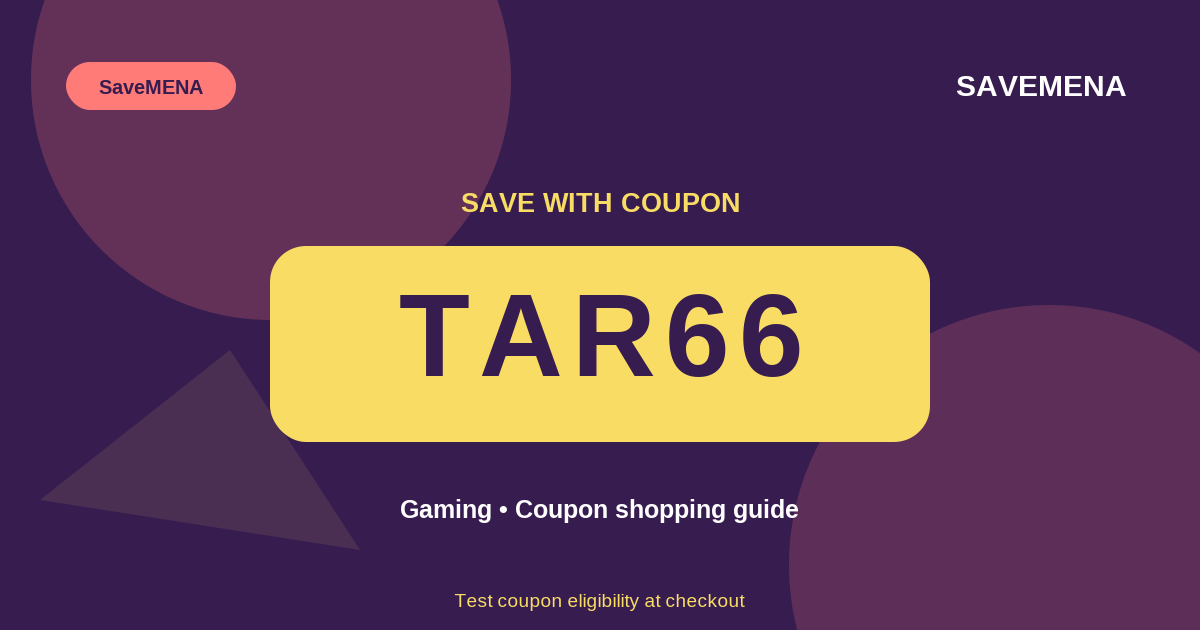
Codes available to try while comparing
These codes are not guaranteed for the article topic or listed brands; test them at checkout and use the live result.
1. Identifying the Exact Gaming Variant
Begin by logging into Noon UAE and entering the product name into the search bar. Append clear identifiers such as the exact model number, color, or storage capacity to narrow results to the specific variant you seek. Any omission can bring up a range of similar products; confirming the full variant prevents accidental purchase of a different edition, which may have different warranty terms or service availability. Read each listing title and description closely for the exact specifications listed.
Once a listing matches your desired variant, note its SKU or product code printed on the page. This identifier can be used later to confirm the same model when comparing prices across sellers or when contacting support. If the listing includes a “See all variants” link, confirm that the exact one you selected remains consistent across all available options. This step ensures no confusion between similar models during price comparisons.
2. Assessing Warranty Coverage
Warranty is a critical assurance for any gaming gear. Examine the warranty details in the product description, typically found under “Product Details” or a dedicated warranty section. Verify the duration (e.g., one‑year, two‑years) and the scope—whether it covers manufacturing defects, battery issues, or accidental damage. Some listings may note “Extended Warranty” options; confirm if these are optional or included by default.
Important to confirm whether the warranty is transferable. If you anticipate selling or gifting the device, a transferable warranty adds value. Also, watch for any regional differences in warranty terms. Noon UAE listings often mirror manufacturer standards, but some sellers may offer supplemental coverage. Make a table of warranty features for each candidate variant to spot differences at a glance.
3. Evaluating Post‑Purchase Support Channels
Post‑purchase support reflects the seller’s commitment to service after you bring the product home. Look for contact details in the seller’s profile: email, phone, or chat support links. Quick response times reduce downtime when issues arise. Verify whether support is available in Arabic and English, and note working hours. A robust support channel often indicates a reputable seller with a good track record for resolving hardware problems.
Check for a dedicated “Customer Support” link or instructions for initiating a warranty claim. A transparent claim process, including an online form or digital ticket, simplifies documentation. Look for any mention of service centers or authorized repair hubs in the UAE, as this affects turnaround times and convenience. Collect URLs or phone numbers for future reference.
4. Comparing Seller Promises and Trust Signals
Seller reputation on Noon UAE can be gauged by customer ratings and verified badges. While ratings alone don’t guarantee post‑purchase support, consistent high scores in “Customer Service” or “Warranty Claims” can be a helpful indicator. Expand each rating to read detailed reviews that may mention the seller’s responsiveness to questions or claim processing speed.
Look for “Verified Seller” badges or a “Gold Seller” status, which often correlate with stricter verification processes. However, as the information is not always exhaustive, cross‑check the seller’s profile for answer completeness, promptness, and transparency. Save URLs of trustworthy stores for comparison and to streamline later re‑search if you choose to switch sellers.
5. Applying the TAR66 Coupon Strategically
The TAR66 code is offered to try at checkout, but its application is not guaranteed and may not affect every listing. To maximize potential savings, add the chosen variant to your cart and proceed to the payment page. Enter the code exactly as shown: TAR66. If the code is accepted, a discount field will appear; if not, you’ll see no change in the total.
Because the coupon’s effectiveness can vary by seller or product category, confirm whether the merchant explicitly accepts coupon codes. Some sellers might have restrictions, even if the overarching storefront allows coupon usage. Note the final payable amount after the code submission and keep the payment screen handy; it serves as proof if you need to dispute the lack of coupon application later.
6. Confirming Shipping Terms and Delivery Times
Free or paid shipping policies differ between sellers on Noon UAE. In the cart, scroll to the “Shipping Details” section to note any fees, shipping method options, and estimated delivery windows. Pay special attention to expedited options, which may add cost but reduce wait time—valuable if you rely on the device quickly for gaming sessions.
Also check if the seller offers a “Same‑Day Delivery” or “2‑Day Delivery” promise. Verify delivery locations: some sellers ship only to specific metro areas, while others ship nationwide. Ensure the chosen variant’s shipping terms match your needs, especially if you purchase from a seller located outside the UAE’s core shipping zones.
7. Final Price Check at Checkout
When all details—variant fidelity, warranty scope, support options, shipping, and coupon application—are confirmed, use the Noon checkout page as the ultimate reference point. All prices, discounts, shipping fees, and taxes are calculated here. Double‑check the subtotal, coupon deduction, and total payable amount before proceeding. If there is a discrepancy with earlier price listings, this is the moment to reassess the seller or variant.
Since Noon UAE may adjust pricing at the last minute due to dynamic inventory or flash sales, record the final totals for a record if you plan to compare with other digital merchants later. Save the order confirmation link for your personal archive; it substantiates every element of the purchase for post‑purchase interactions.
8. Post‑Purchase Checklist and Next Steps
After placing the order, keep the confirmation email that lists order number, variant details, warranty terms, and support contacts. The email also acts as proof of purchase for warranty claims. Retain the physical copy of the E‑receipt if needed for return or replacement procedures.
Within two days, monitor the shipment status via the Noon app or website. If any aspect of the purchase (price, variant specs, or delivery time) appears wrong, contact Noon customer service using the links highlighted earlier. A clear timeline for warranty claims and support inquiries should be in place; if not, note the lack of guidance and prepare to ask for clarification during the first support interaction.
Related SaveMENA pages
Related articles
Official sources to check
Frequently asked questions
How can I confirm the warranty coverage for a gaming device on Noon UAE?
You should read the “Product Details” section of the listing for the warranty duration and scope. For further confirmation, check the seller’s profile for warranty claim procedures and contact the seller’s support team if needed.
What should I do if the TAR66 coupon code does not apply at checkout?
If the coupon code doesn’t work, the code might be restricted for that seller or product category. Note the final price without the discount and consider contacting Noon support or the seller for clarification. Keep a record of the checkout screen for reference.
How can I verify that the support provided by the seller is reliable?
Check seller ratings, read customer reviews focusing on “Customer Service” and “Warranty Claims,” and confirm contact channels listed in the seller’s profile. Prompt, clear communication during pre‑purchase inquiries often signals reliable support.
Will I be able to claim warranty if I send the device to a third‑party repair center?
Warranty claims typically require you to use an authorized service center or return the device to the seller per their established claim process. Review the listed warranty claim steps, and if a third‑party service is used, confirm it’s recognized by the manufacturer and the seller.